
你作为一名后端程序员,如果想快速上手 Vue3 项目,需要掌握以下几个核心知识点:
一. Vue3 基础概念
1.Vue3是什么?
a.前端框架,用于构建用户界面
b.相比Vue2,Vue3的主要改善:
1.Composition API(组合式API,更灵活的代码组织方式)
2.更好地TypeScript支持
3.性能提升
4.更小的打包体积
2.MVVM思想
Vue3是基于MVVM(Model-View-ViewModel)模式。
数据驱动尝试,无需直接操作DOM。
3.安装与运行
使用npm或yarn安装依赖。
使用vite创建项目。
二.Vue3核心语法:
1.模板语法
1.插值表达式: {{message}}
2.指令:
v-bind:绑定属性,简写:
v-on:绑定事件,简写@
v-if / v-for / v-show
v-model:双向绑定
2.组件化开发:
1.vue的文件结构:
                         <template>HTML结构</template>
                        <script setup>js逻辑代码</script>
                       <style scoped>样式</style>
2.组件通信
Props:父传子
Emits: 子传父
Provide/Inject: 深层嵌套通信
Pina:Vue3推荐的状态管理
三.Composition API组合式API写法;
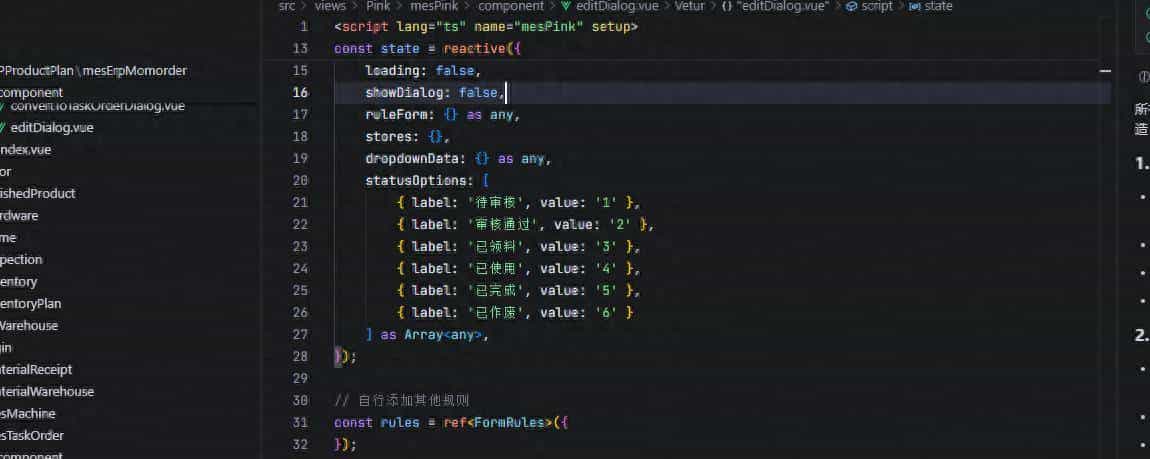
Vue3 推荐使用 <script setup> 编写组件逻辑,更灵活且易维护。
ref:定义基本类型响应式数据
  import { ref } from 'vue'
const count = ref(0)
reactive:定义对象类型响应式数据
import { reactive } from 'vue'
const user = reactive({ name: 'Tom', age: 20 })
computed:计算属性
watch:监听数据变化
onMounted / onUpdated / onUnmounted:生命周期钩子
四.路由
1.页面跳转、参数传递。
2.安装:
npm install vue-router@43.基本使用:
import { createRouter, createWebHistory } from 'vue-router'
import Home from './views/Home.vue'

const router = createRouter({
  history: createWebHistory(),
  routes: [
    { path: '/', component: Home },
    { path: '/about', component: () => import('./views/About.vue') }
  ]
})
五.状态管理(Pinia)
1.替代 Vuex,更简单,TypeScript 支持更好。
import { defineStore } from 'pinia'

export const useCounterStore = defineStore('counter', {
  state: () => ({ count: 0 }),
  actions: {
    increment() {
      this.count++
    }
  }
})
六:网络请求(Axios)
1.后端程序员很熟悉,Vue3 项目中同样使用。
2.安装:npm install axios
3.封装api
     import axios from 'axios'

const api = axios.create({
  baseURL: import.meta.env.VITE_API_BASE_URL
})

export const getList = () => api.get('/list')
七: UI框架,推荐用Element Plus
安装: npm install element-plus
引入:
import ElementPlus from 'element-plus'
import 'element-plus/dist/index.css'
app.use(ElementPlus)
八:构建与部署
运行vue3的项目: npm run dev
打包并发布vue3的项目: npm run build
© 版权声明
文章版权归作者所有,未经允许请勿转载。













一个前端还要编译。更新一个文件要全量重新编译。 还是老旧的好
有AI在还管什么前端后端,只要懂架构就行了,你只负责创意和验证结果,过程交给AI。
vue3,状态管理加路由,然后api,让ai帮写
不会,一直html+js
AI随便写
cursor
智能时代,增删改查程序员基本废了