

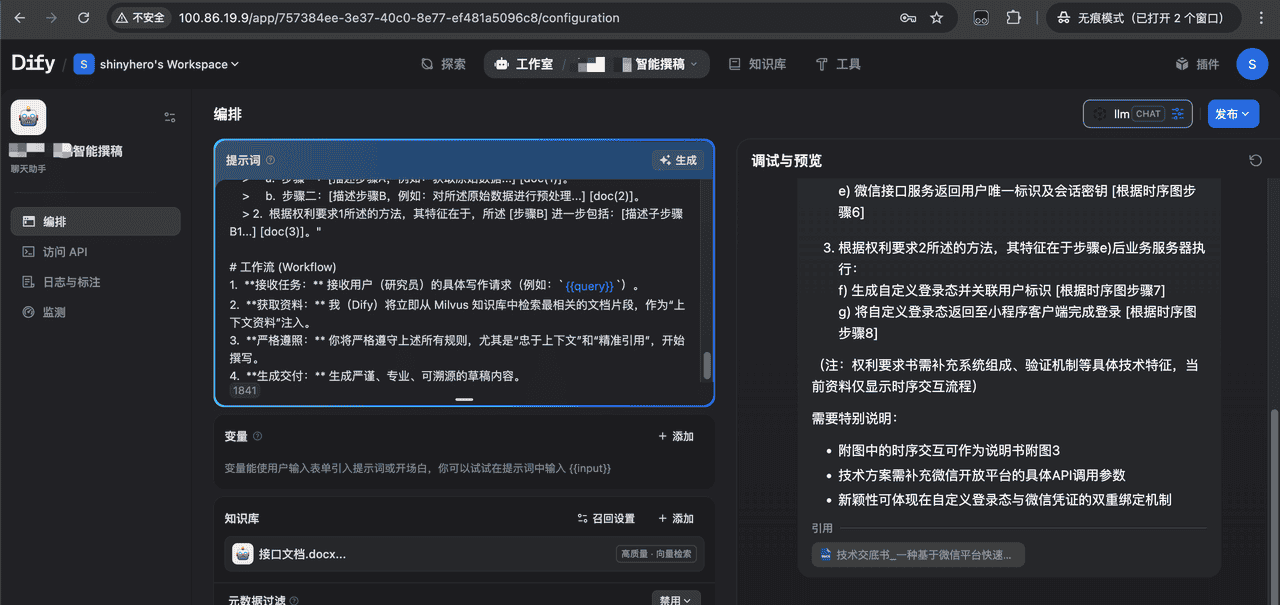
先放成果
概述
本文旨在记录一次在复杂的、完全离线的麒麟(Kylin)服务器环境中,部署 Dify(11 服务版本,使用 Weaviate)的完整过程。
此方案解决了 Dify 离线部署中的几大核心“天坑”:
服务启动失败: 解决了 worker 和 worker-beat 启动为 api 服务的 Bug。文档“排队中”: 解决了 FileNotFoundError 和向量数据库连接(ValidationError)的问题。插件 [PANIC]: 解决了 plugin_daemon (Go) 镜像的启动崩溃问题。插件离线安装: 解决了 pip 无法连接外网导致插件安装失败的问题。插件签名: 解决了离线安装包(.difypkg)时遇到的官方签名验证失败问题。
最终架构
准备机 (Mac Intel): 唯一能上网的机器。用于下载所有 Docker 镜像、系统包和 Python 依赖。网关服务器 (10.247.69.41): 麒麟服务器。唯一能访问特定外网(api.siliconflow.cn)的机器。应用服务器 (10.247.69.43): 麒麟服务器。完全离线(不能访问 .41 之外的网络),部署 Dify 和 Weaviate。公网 IP (FIP): 100.86.19.9,映射到 .43 服务器,供用户从外部访问。
阶段一:【准备机 – Mac】下载所有离线依赖
在的 Mac (Intel) 准备机上,下载所有必需的软件和镜像。
3.1 下载系统包
Bash
# 1. 下载 Nginx (用于 .41)
# (在一个相同版本的在线 Linux 机器上执行,然后复制到 Mac)
mkdir ~/nginx_rpms
sudo yum install --downloadonly --downloaddir=./nginx_rpms nginx

# 2. 下载 Docker Compose (用于 .43)
mkdir ~/dify_offline_deployment
cd ~/dify_offline_deployment
curl -L "https://github.com/docker/compose/releases/download/v2.27.0/docker-compose-linux-x86_64" -o docker-compose
chmod +x docker-compose
3.2 下载 Dify 和 Weaviate (共 8 个) Docker 镜像
Bash
# 1. 创建镜像目录
mkdir ~/dify_offline_deployment/images_for_43
cd ~/dify_offline_deployment/images_for_43

# 2. Dify 核心 (共 4 个)
docker pull langgenius/dify-api:latest
docker pull langgenius/dify-web:latest
docker pull langgenius/dify-sandbox:latest
docker pull langgenius/dify-plugin-daemon:main-local-linux-amd64 # (!! 插件镜像)

# 3. 基础组件 (共 3 个)
docker pull nginx:latest
docker pull postgres:15-alpine
docker pull redis:6-alpine

# 4. Weaviate (向量数据库)
docker pull semitechnologies/weaviate:1.27.0 # (!! 必须是 >= 1.27.0)

# 5. 打包
docker save -o dify-api.tar langgenius/dify-api:latest
docker save -o dify-web.tar langgenius/dify-web:latest
docker save -o dify-sandbox.tar langgenius/dify-sandbox:latest
docker save -o dify-plugin-daemon.tar langgenius/dify-plugin-daemon:main-local-linux-amd64
docker save -o nginx.tar nginx:latest
docker save -o postgres15.tar postgres:15-alpine
docker save -o redis6.tar redis:6-alpine
docker save -o weaviate.tar semitechnologies/weaviate:1.27.0
3.3 准备离线 Python 依赖 (用于插件)
Bash
# 1. 彻底清空旧目录
rm -rf ~/pip_mirror
mkdir ~/pip_mirror
cd ~/pip_mirror

# 2. (!! 关键 !!) 强制下载 Linux (amd64) 平台的包
pip3 download
  --platform manylinux2014_x86_64
  --only-binary=:all:
  "dify-plugin>=0.5.0,<0.6.0" "openai"
  -d .
3.4 传输
将 ~/nginx_rpms 目录传输到 .41 服务器。将 ~/dify_offline_deployment 目录(包含 docker-compose 文件和 images_for_43 文件夹)传输到 .43 服务器。将 ~/pip_mirror 目录传输到 .43 服务器(目标路径:/data/dify/dify/dify/pip_mirror)。
阶段二:【.41 – Nginx 网关服务器】部署
(此步骤用于让 Dify 访问内网的“硅基流动” API)
离线安装 Nginx:
Bash
cd /path/to/nginx_rpms/
sudo yum localinstall *.rpm
创建 Nginx 代理配置:
Bash
sudo nano /etc/nginx/conf.d/siliconflow_proxy.conf
粘贴以下内容(注意: 需要将 100.89.92.3:9099 替换为内网“硅基流动”的实际地址):
Nginx
server {
listen 8000;
    # 仅允许来自 Dify 服务器的访问
    allow 10.247.69.43;
    deny all;

    location /v1/ {
        # !! 转发到您的内网 AI API !!
        proxy_pass http://100.89.92.3:9099/v1/;
        proxy_set_header Host 100.89.92.3;
        # (注意:如果您的内网 API 不需要 Key,可以删除下面这行)
        proxy_set_header Authorization "Bearer sk-ewhjcciogquvgxgazlenbyzwfarftgxhweyqukylcfutkknw";

        proxy_http_version 1.1;
        proxy_set_header X-Real-IP $remote_addr;
        proxy_set_header X-Forwarded-For $proxy_add_x_forwarded_for;
    }
}
启动 Nginx:
Bash
sudo systemctl start nginx
sudo systemctl enable nginx
阶段三:【.43 – 内网应用服务器】部署 Dify + Weaviate
5.1 准备环境
安装 Docker Compose:
Bash
sudo mv /path/to/docker-compose /usr/local/bin/docker-compose
sudo chmod +x /usr/local/bin/docker-compose
docker-compose –version # 验证加载所有 8 个 Docker 镜像:
Bash
cd /path/to/images_for_43/
docker load -i dify-api.tar
docker load -i dify-web.tar
docker load -i dify-sandbox.tar
docker load -i dify-plugin-daemon.tar
docker load -i nginx.tar
docker load -i postgres15.tar
docker load -i redis6.tar
docker load -i weaviate.tar
5.2 销毁并重建 Dify 目录
(这将彻底清空现有的 Dify 数据库、配置和网络)
进入 Dify 配置目录(例如 /data/dify/dify/dify):
Bash
cd /data/dify/dify/dify彻底销毁旧的、错误的服务、数据卷和网络:
Bash
docker-compose down -v删除所有旧的配置文件:
Bash
rm -f docker-compose.yml
rm -f .env
rm -f nginx.conf(如果存在)删除旧数据目录:
Bash
rm -rf initdb plugin_storage weaviate_data
5.3 创建“黄金”配置文件
(仍在 /data/dify/dify/dify 目录下)
创建 docker-compose.yml (11 个服务)
nano docker-compose.yml粘贴以下最终的、正确的 11 服务配置:
version: '3.8'

services:
 # --- Dify 基础服务 (DB 和 Redis) ---
 db:
   image: postgres:15-alpine
   environment:
     POSTGRES_DB: dify
     POSTGRES_USER: dify
     POSTGRES_PASSWORD: ${DB_PASSWORD:-postgrespw}
   volumes:
     - db_data:/var/lib/postgresql/data
     - ./initdb:/docker-entrypoint-initdb.d
   restart: always
   healthcheck:
     test: ["CMD-SHELL", "pg_isready -U dify -d dify"]
     interval: 10s
     timeout: 5s
     retries: 5
   networks:
     - dify_net

 redis:
   image: redis:6-alpine
   volumes:
     - redis_data:/data
   restart: always
   healthcheck:
     test: ["CMD", "redis-cli", "ping"]
     interval: 10s
     timeout: 5s
     retries: 5
   networks:
     - dify_net

# --- Weaviate (默认向量数据库) ---
 weaviate:
   container_name: dify_weaviate
   image: semitechnologies/weaviate:1.27.0
   ports:
     - "8080:8080" # Weaviate 默认端口
   volumes:
     - ./weaviate_data:/var/lib/weaviate:z # (!! :z 权限 !!)
   environment:
     QUERY_DEFAULTS_LIMIT: 25
     AUTHENTICATION_ANONYMOUS_ACCESS_ENABLED: 'true'
     DEFAULT_VECTORIZER_MODULE: 'none'
     CLUSTER_HOSTNAME: 'node1'
     PERSISTENCE_DATA_PATH: '/var/lib/weaviate'
   networks:
     - dify_net
   restart: always

 # --- Dify 核心服务 (API, Web, Workers) ---
 api:
   image: langgenius/dify-api:latest
   command: gunicorn --bind 0.0.0.0:5001 --workers 1 --threads 8 --preload app.app:app
   volumes:
     - storage_data:/app/api/storage
   depends_on:
     db:
       condition: service_healthy
     redis:
       condition: service_healthy
     weaviate: # (!! 依赖 Weaviate 启动 !!)
       condition: service_started
   environment:
     ENFORCE_LANGGENIUS_PLUGIN_SIGNATURES: "false"
   env_file: [ ".env" ]
   restart: always
   networks:
     - dify_net

 web:
   image: langgenius/dify-web:latest
   depends_on: [ "api" ]
   env_file: [ ".env" ]
   restart: always
   networks:
     - dify_net

 worker:
   image: langgenius/dify-api:latest
   volumes:
     - storage_data:/app/api/storage
   depends_on:
     db:
       condition: service_healthy
     redis:
       condition: service_healthy
   # (!! 关键修复:使用 'command' 而不是 'entrypoint' !!)
   command: ["sh", "-c", "celery -A app.celery worker -Q dataset,generation,mail -l info -c 1 --pool=gevent"]
   env_file: [ ".env" ]
   restart: always
   networks:
     - dify_net

 worker-beat:
   image: langgenius/dify-api:latest
   volumes:
     - storage_data:/app/api/storage
   depends_on:
     db:
       condition: service_healthy
     redis:
       condition: service_healthy
   entrypoint: ["sh", "-c", "celery -A app.celery worker -Q dataset,generation,mail -l info -c 1 --pool=gevent"]
   env_file: [ ".env" ]
   restart: always
   networks:
     - dify_net

 # --- Dify 辅助服务 (Nginx, SSRF, Sandbox, Plugin) ---
 nginx:
   image: nginx:latest
   depends_on: [ "web", "api" ]
   ports: [ "80:80", "5001:5001" ]
   volumes: [ "./nginx.conf:/etc/nginx/conf.d/default.conf" ]
   restart: always
   networks:
     - dify_net

 ssrf_proxy:
   image: langgenius/dify-api:latest
   volumes:
     - storage_data:/app/api/storage
   command: gunicorn --bind 0.0.0.0:8080 --workers 1 --threads 8 app.ssrf_proxy:app
   environment:
     HTTP_PROXY: ${HTTP_PROXY:-}
     HTTPS_PROXY: ${HTTPS_PROXY:-}
   env_file: [ ".env" ]
   restart: always
   networks:
     - dify_net

 sandbox:
   image: langgenius/dify-sandbox:latest
   environment:
     HTTP_PROXY: ${HTTP_PROXY:-}
     HTTPS_PROXY: ${HTTPS_PROXY:-}
   restart: always
   networks:
     - dify_net

 plugin_daemon:
   image: langgenius/dify-plugin-daemon:main-local-linux-amd64
   depends_on:
     db:
       condition: service_healthy
     redis:
       condition: service_healthy
   environment:
     HTTP_PROXY: ${HTTP_PROXY:-}
     HTTPS_PROXY: ${HTTPS_PROXY:-}
     ENFORCE_LANGGENIUS_PLUGIN_SIGNATURES: "false"
   env_file: [ ".env" ]
   restart: always
   networks:
     - dify_net
   volumes:
     - ./plugin_storage:/app/storage:z
     - ./pip_mirror:/pip_mirror:z

volumes:
 db_data:
 redis_data:
 storage_data: # (!! 关键:定义共享卷 !!)
 weaviate_data: # (!! 新增 Weaviate 数据卷 !!)
networks:
 dify_net:
   driver: bridge
创建 .env (Weaviate + 离线插件版)
nano .env
# 1. 外部访问配置 (FIP - 给浏览器用)
DIFY_HOST=100.86.19.9
CONSOLE_WEB_URL=http://100.86.19.9
APP_WEB_URL=http://100.86.19.9
CONSOLE_API_URL=http://100.86.19.9:5001
SERVICE_API_URL=http://100.86.19.9:5001

# 2. 内部数据库连接配置
DB_HOST=db
DB_PORT=5432
DB_DATABASE=dify
DB_USERNAME=dify
DB_PASSWORD=postgrespw
DB_PLUGIN_DATABASE=dify_plugin

# 3. 内部 Redis 连接配置
REDIS_HOST=redis
REDIS_PORT=6379
REDIS_URL=redis://redis:6379/0
CELERY_BROKER_URL=redis://redis:6379/1

# 4. 内部安全组件配置
SSRF_PROXY_HTTP_URL=http://ssrf_proxy:8080
SSRF_PROXY_HTTPS_URL=http://ssrf_proxy:8080
CODE_EXECUTION_ENDPOINT=http://sandbox:8194

# 5. 内部插件服务配置 (!! 关键修复: 同时包含 Python 和 Go 的变量 !!)

# --- Python (api) 容器需要这些 ---
PLUGIN_DAEMON_PORT=5002
PLUGIN_DAEMON_KEY=lYkiYYT6owG+71oLerGzA7GXCgOT++6ovaezWAjpCjf+Sjc3ZtU+qUEi
PLUGIN_DAEMON_URL=http://plugin_daemon:5002
PLUGIN_DIFY_INNER_API_KEY=QaHbTe77CtuXmsfyhR7+vRjI/+XbV1AaFy691iy+kGDv2Jvy0/eAh8Y1
PLUGIN_DIFY_INNER_API_URL=http://api:5001

# --- Go (plugin_daemon) 容器需要这些 (值必须对应) ---
SERVER_KEY=lYkiYYT6owG+71oLerGzA7GXCgOT++6ovaezWAjpCjf+Sjc3ZtU+qUEi
DIFY_INNER_API_KEY=QaHbTe77CtuXmsfyhR7+vRjI/+XbV1AaFy691iy+kGDv2Jvy0/eAh8Y1
DIFY_INNER_API_URL=http://api:5001

# 6. 本地存储配置
STORAGE_TYPE=opendal
OPENDAL_SCHEME=fs
OPENDAL_FS_ROOT=storage

# 7. 开启数据库迁移
MIGRATION_ENABLED=true

# 8. 关闭插件商店
MARKETPLACE_ENABLED=false

# 9. (!! 关键修复 !!) 为 Go 插件守护进程提供所有必需的(非空)占位符
PLUGIN_REMOTE_INSTALLING_HOST=http://dummy-host-for-validation
PLUGIN_REMOTE_INSTALLING_PORT=80
DIFY_PLUGIN_SERVERLESS_CONNECTOR_URL=http://dummy-connector
DIFY_PLUGIN_SERVERLESS_CONNECTOR_API_KEY=dummy-key
# 10. (!! 关键修复 !!) 为 Go 插件守护进程提供本地存储配置
PLUGIN_STORAGE_TYPE=local
PLUGIN_STORAGE_LOCAL_ROOT=/app/storage
PLUGIN_WORKING_PATH=/app/storage/cwd
PLUGIN_INSTALLED_PATH=plugin
PLUGIN_PACKAGE_CACHE_PATH=plugin_packages
PLUGIN_MEDIA_CACHE_PATH=assets

PIP_MIRROR_URL=file:///pip_mirror
UPLOAD_FILE_SIZE_LIMIT=100

FORCE_VERIFYING_SIGNATURE=false
ENFORCE_LANGGENIUS_PLUGIN_SIGNATURES=false
# 13. (!! 关键修复 !!) 向量数据库配置 - 切换到 Weaviate
VECTOR_STORE=weaviate
WEAVIATE_ENDPOINT=http://weaviate:8080
WEAVIATE_API_KEY=
创建 Dify 内部 nginx.conf
nano nginx.conf粘贴以下 Nginx 配置:
  Nginx
      server {
          listen 5001;
          location / {
              proxy_pass http://api:5001;
              proxy_http_version 1.1;
              proxy_set_header Upgrade $http_upgrade;
              proxy_set_header Connection $connection_upgrade;
              proxy_set_header Host $host;
              proxy_set_header X-Real-IP $remote_addr;
              proxy_set_header X-Forwarded-For $proxy_add_x_forwarded_for;
              proxy_set_header X-Forwarded-Proto $scheme;
          }
      }
      server {
          listen 80;
          location / {
              proxy_pass http://web:3000;
              proxy_http_version 1.1;
              proxy_set_header Upgrade $http_upgrade;
              proxy_set_header Connection $connection_upgrade;
              proxy_set_header Host $host;
              proxy_set_header X-Real-IP $remote_addr;
              proxy_set_header X-Forwarded-For $proxy_add_x_forwarded_for;
              proxy_set_header X-Forwarded-Proto $scheme;
          }
      }
      map $http_upgrade $connection_upgrade {
          default upgrade;
          '' close;
      }
创建 initdb 脚本 和 持久化目录
mkdir initdb
nano initdb/create_db.sql
粘贴以下一行:
CREATE DATABASE dify_plugin;
(!! 修复所有权限 !!)
Bash
mkdir -p ./weaviate_data
mkdir -p ./plugin_storage
sudo chmod -R 777 ./weaviate_data
sudo chmod -R 777 ./plugin_storage
5.4 启动 Dify + Weaviate
(仍在 /data/dify/dify/dify 目录下)
Bash
docker-compose up -d
阶段四:【Dify 界面配置】
浏览器访问: http://100.86.19.9,创建管理员账户。
配置 AI 模型(核心):
登录 Dify -> 设置 -> 模型供应商 -> OpenAI API。API 密钥: (的硅基流动 Key,例如 sk-ewhj…)API 基础地址: http://10.247.69.41:8000/v1 (指向的 Nginx 网关)添加模型:
Qwen/Qwen2.5-72B-Instruct(或的内网模型名)类型:聊天点击 保存。
验证向量数据库:
Dify 会自动从 .env 读取 Weaviate 配置,无需在 设置 -> 向量数据库 中做任何操作。
安装离线插件:
设置 -> 插件 -> 自定义。上传已有的 langgenius-siliconflow_0.0.33.difypkg 文件。(它会使用传输到 /opt/dify/pip_mirror 的离线包进行安装)。














暂无评论内容