

一.概念回顾
建议先学上篇博客,再向下学习,上篇博客的链接如下:
https://blog.csdn.net/weixin_60668256/article/details/154835397?fromshare=blogdetail&sharetype=blogdetail&sharerId=154835397&sharerefer=PC&sharesource=weixin_60668256&sharefrom=from_link
二.http请求与响应的格式
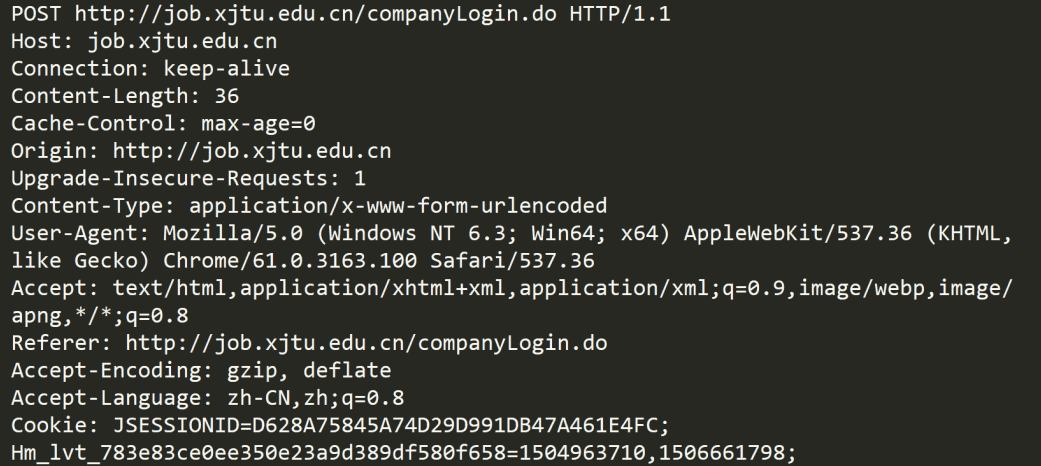
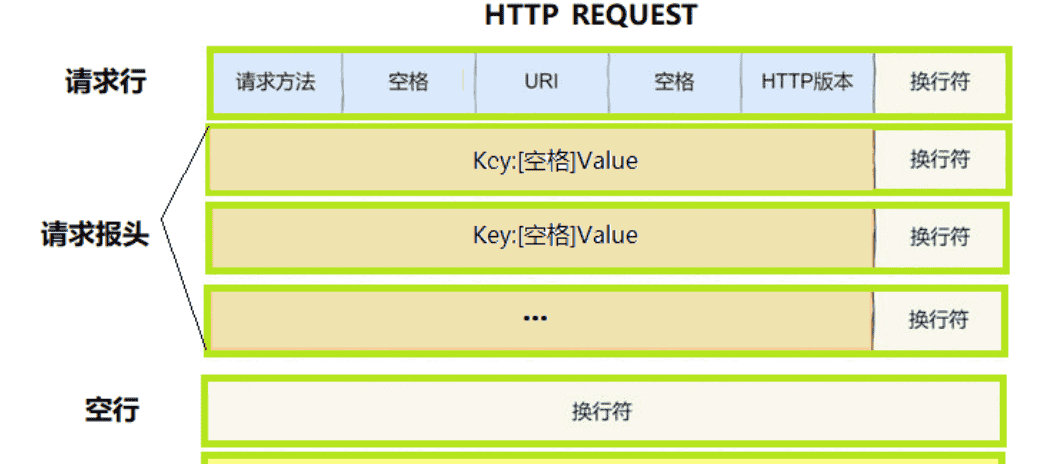
1.http请求
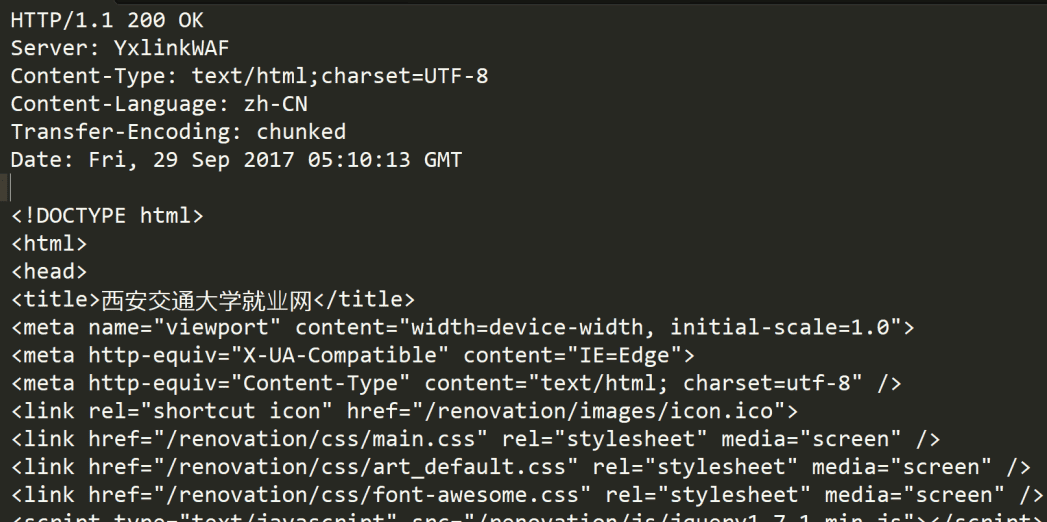
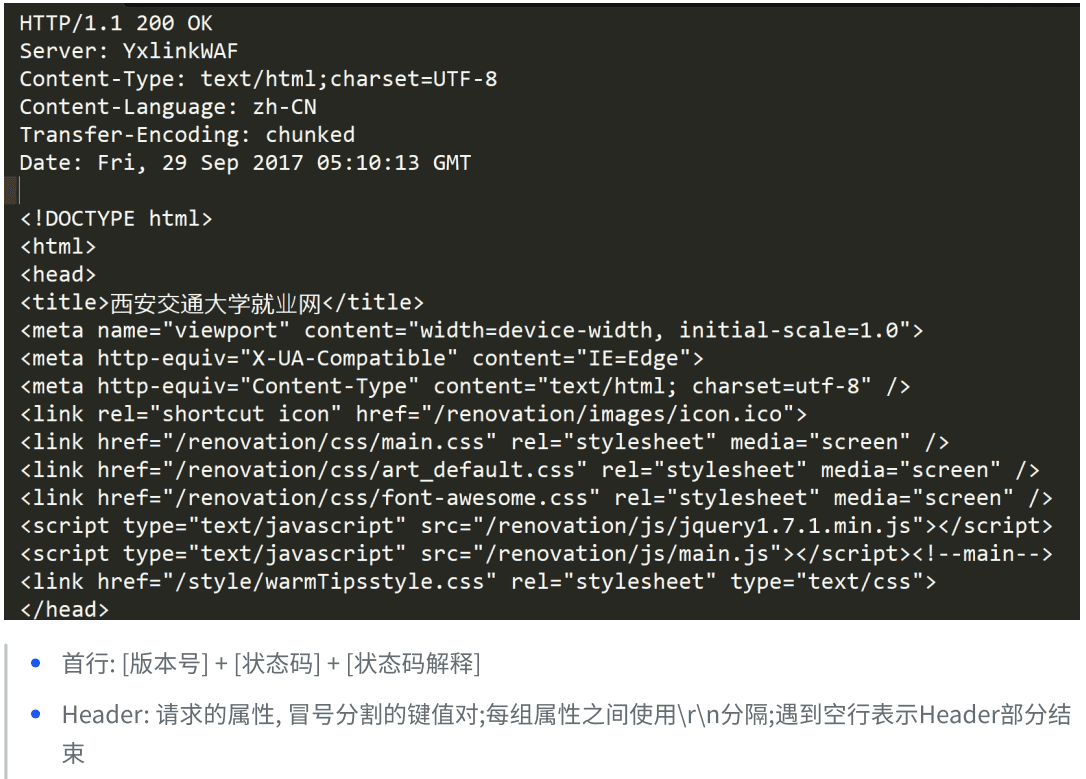
2.http响应
三.http协议定制
#pragma once


#include <iostream>
#include <string>
#include <vector>
#include <sstream>
#include "Common.hpp"


const std::string Sep = "
";
const std::string LineSep = " ";
const std::string BlankLine = Sep;


class HttpRequest
{
public:
    HttpRequest()
    {}
    ~HttpRequest()
    {}
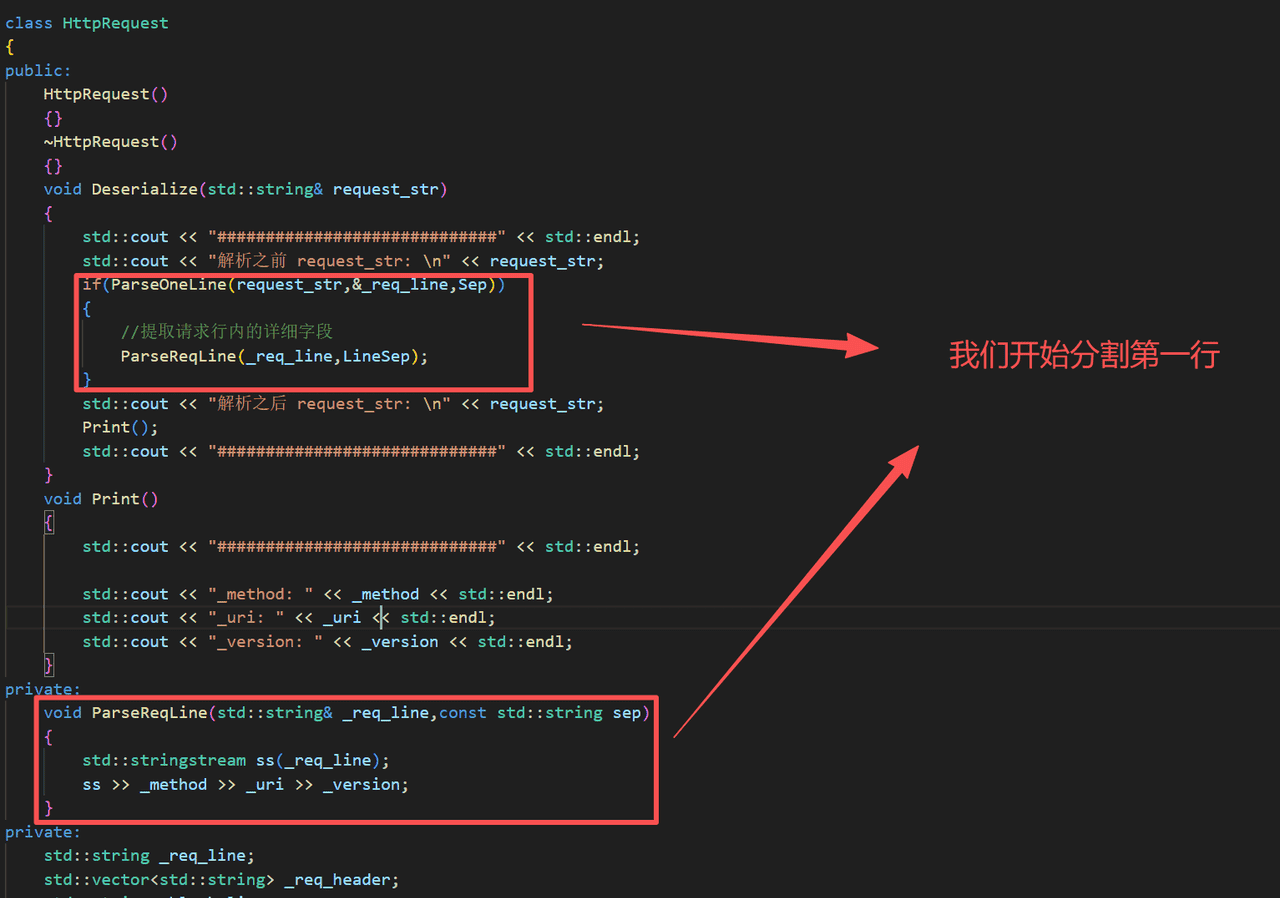
    void Deserialize(std::string& request_str)
    {
        std::cout << "#############################" << std::endl;
        std::cout << "解析之前 request_str:
" << request_str;
        if(ParseOneLine(request_str,&_req_line,Sep))
        {
            //提取请求行内的详细字段
            ParseReqLine(_req_line,LineSep);
        }
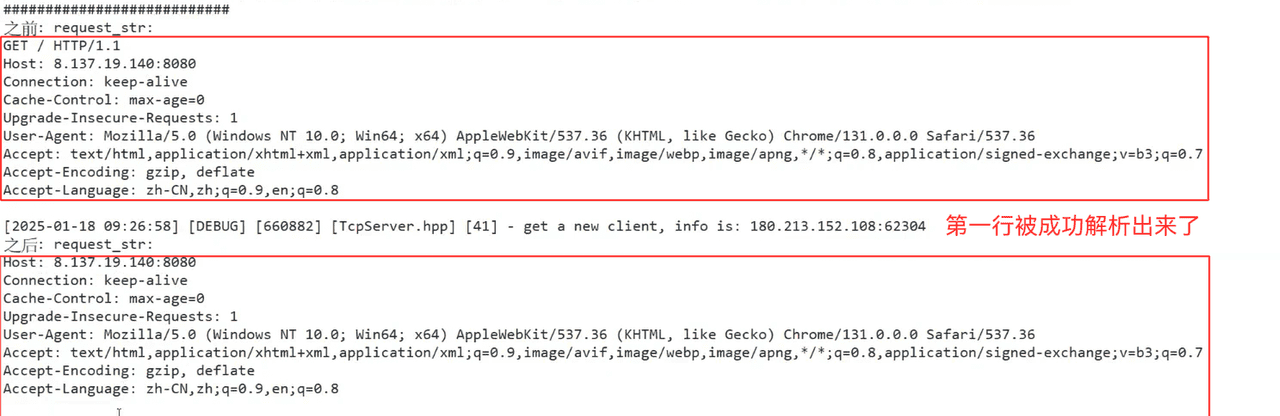
        std::cout << "解析之后 request_str:
" << request_str;
        Print();
        std::cout << "#############################" << std::endl;
    }
    void Print()
    {
        std::cout << "#############################" << std::endl;

        std::cout << "_method: " << _method << std::endl;
        std::cout << "_uri: " << _uri << std::endl;
        std::cout << "_version: " << _version << std::endl;
    }
private:
    void ParseReqLine(std::string& _req_line,const std::string sep)
    {
        std::stringstream ss(_req_line);
        ss >> _method >> _uri >> _version;
    }
private:
    std::string _req_line;
    std::vector<std::string> _req_header;
    std::string _blank_line;
    std::string _body;
    //反序列化的过程中,细化我们解析的字段
    std::string _method;
    std::string _uri;
    std::string _version;
};


class HttpResponse
{
private:
    std::string _resp_line;
    std::vector<std::string> _resp_header;
    std::string _blank_line;
    std::string _body;
};
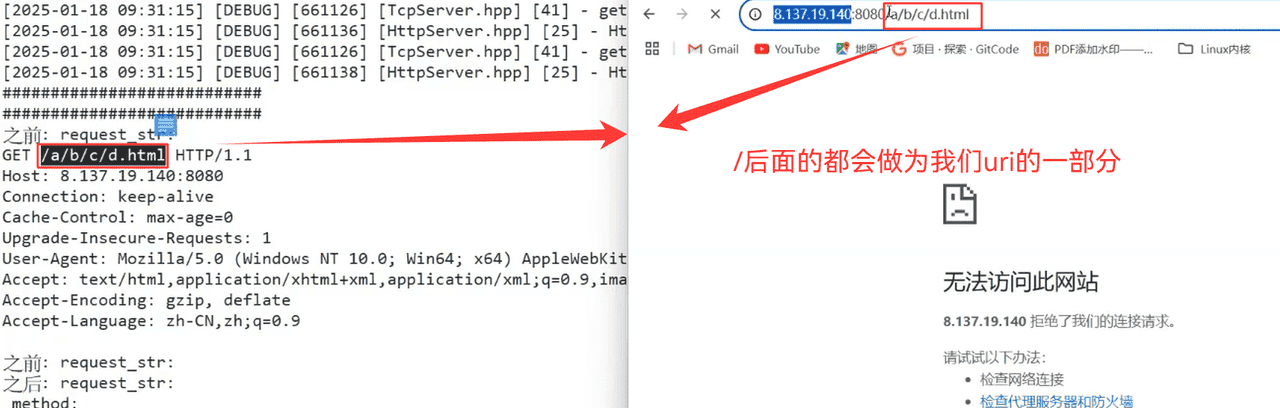
1.Deserialize函数的实现
void Deserialize(std::string& request_str)
    {
        if(ParseOneLine(request_str,&_req_line,Sep))
        {
            //提取请求行内的详细字段
            ParseReqLine(_req_line,LineSep);
            ParseHeader(request_str);
            _body = request_str;
        }
    }
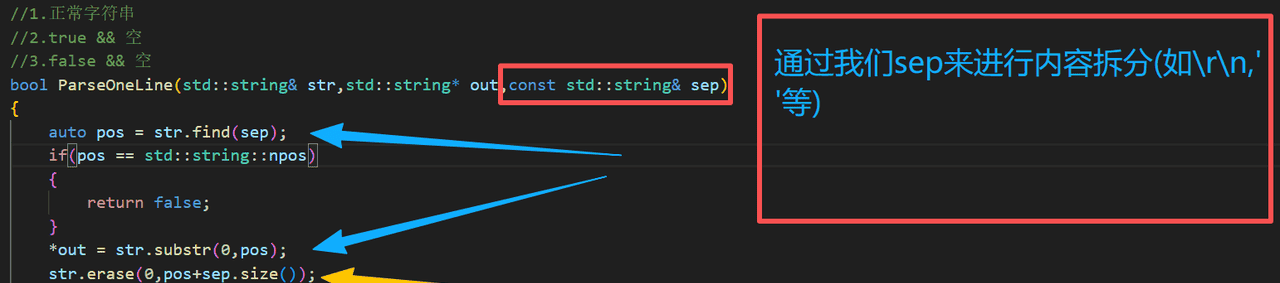
a.ParseOneLine(请求行的拆分)
//1.正常字符串
//2.true && 空
//3.false && 空
bool ParseOneLine(std::string& str,std::string* out,const std::string& sep)
{
    auto pos = str.find(sep);
    if(pos == std::string::npos)
    {
        return false;
    }
    *out = str.substr(0,pos);
    str.erase(0,pos+sep.size());
    return true;
}
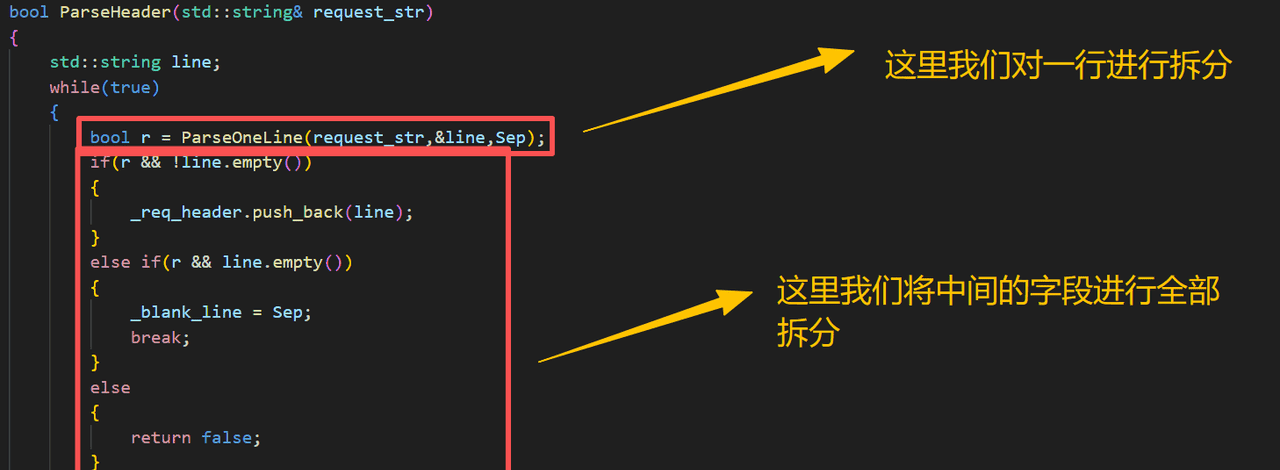
b.ParseHeader(请求报头的拆分)
bool ParseHeader(std::string& request_str)
    {
        std::string line;
        while(true)
        {
            bool r = ParseOneLine(request_str,&line,Sep);
            if(r && !line.empty())
            {
                _req_header.push_back(line);
            }
            else if(r && line.empty())
            {
                _blank_line = Sep;
                break;
            }
            else
            {
                return false;
            }
        }
        return true;
    }
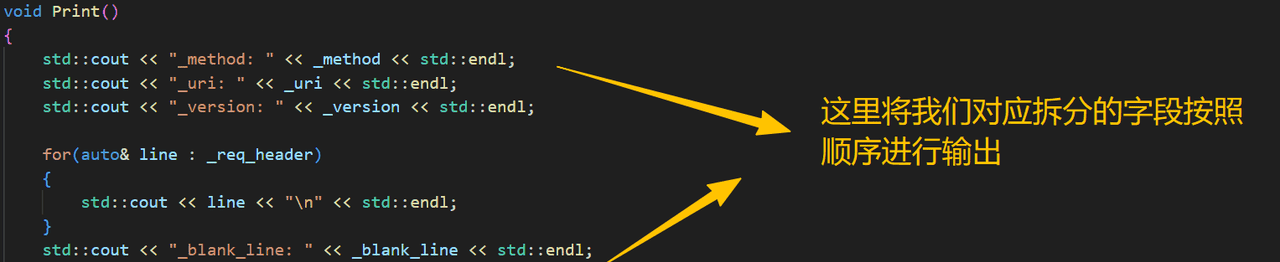
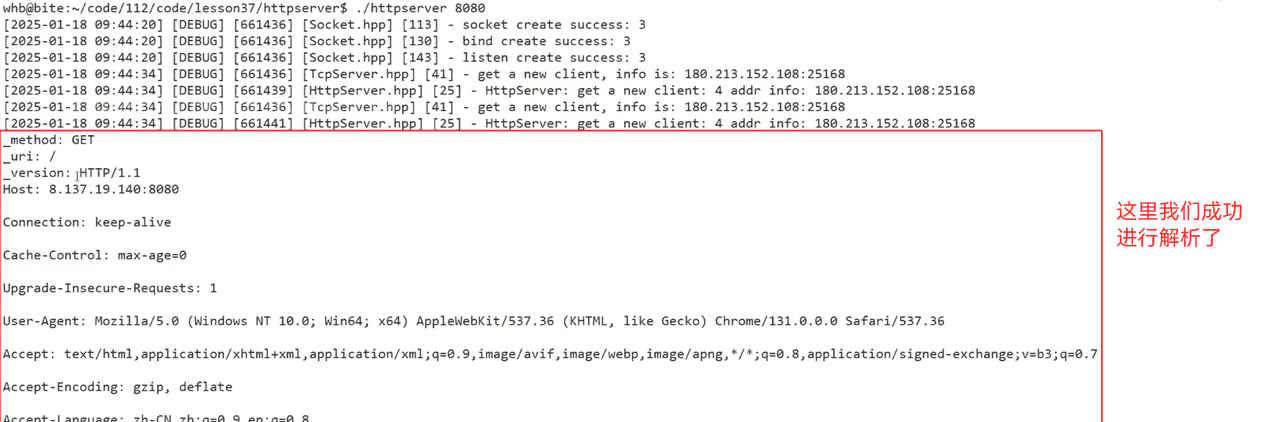
c.Print()的实现
void Print()
    {
        std::cout << "_method: " << _method << std::endl;
        std::cout << "_uri: " << _uri << std::endl;
        std::cout << "_version: " << _version << std::endl;

        for(auto& line : _req_header)
        {
            std::cout << line << "
" << std::endl;
        }
        std::cout << "_blank_line: " << _blank_line << std::endl;
        std::cout << "body: " << _body << std::endl;
    }
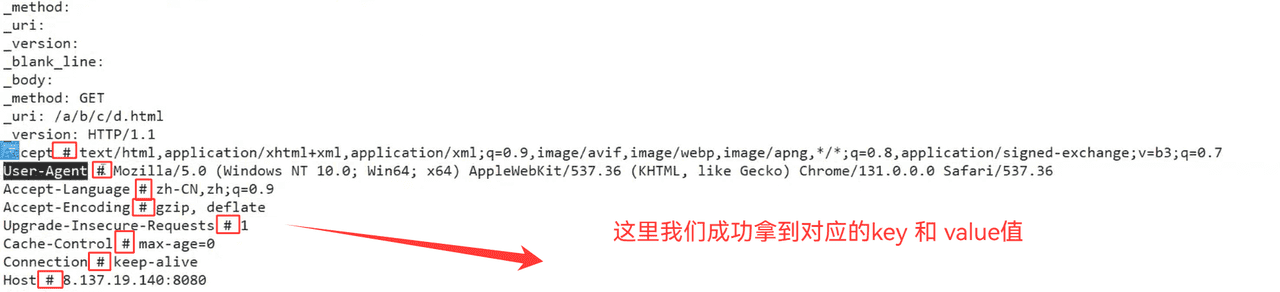
d.ParseHeaderkv()的实现
bool ParseHeaderkv()
    {
        std::string key,value;
        for(auto& header : _req_header)
        {
            //Connection: keep-alive
            if(SplitString(header,HeaderLineSep,&key,&value))
            {
                _header_kv.insert(std::make_pair(key,value));
            }
        }
        return true;
    }
e.Request总代码
class HttpRequest
{
public:
    HttpRequest()
    {}
    ~HttpRequest()
    {}
    bool ParseHeaderkv()
    {
        std::string key,value;
        for(auto& header : _req_header)
        {
            //Connection: keep-alive
            if(SplitString(header,HeaderLineSep,&key,&value))
            {
                _header_kv.insert(std::make_pair(key,value));
            }
        }
        return true;
    }
    bool ParseHeader(std::string& request_str)
    {
        std::string line;
        while(true)
        {
            bool r = ParseOneLine(request_str,&line,Sep);
            if(r && !line.empty())
            {
                _req_header.push_back(line);
            }
            else if(r && line.empty())
            {
                _blank_line = Sep;
                break;
            }
            else
            {
                return false;
            }
        }
        ParseHeaderkv();
        return true;
    }
    void Deserialize(std::string& request_str)
    {
        if(ParseOneLine(request_str,&_req_line,Sep))
        {
            //提取请求行内的详细字段
            ParseReqLine(_req_line,LineSep);
            ParseHeader(request_str);
            _body = request_str;
        }
    }
    void Print()
    {
        std::cout << "_method: " << _method << std::endl;
        std::cout << "_uri: " << _uri << std::endl;
        std::cout << "_version: " << _version << std::endl;

        for(auto& kv : _header_kv)
        {
            std::cout << kv.first << " # " << kv.second << std::endl;
        }
        std::cout << "_blank_line: " << _blank_line << std::endl;
        std::cout << "body: " << _body << std::endl;
    }
private:
    void ParseReqLine(std::string& _req_line,const std::string sep)
    {
        std::stringstream ss(_req_line);
        ss >> _method >> _uri >> _version;
    }
private:
    std::string _req_line;
    std::vector<std::string> _req_header;
    std::string _blank_line;
    std::string _body;
    //反序列化的过程中,细化我们解析的字段
    std::string _method;
    std::string _uri;
    std::string _version;
    std::unordered_map<std::string,std::string> _header_kv;
};
2.http家目录
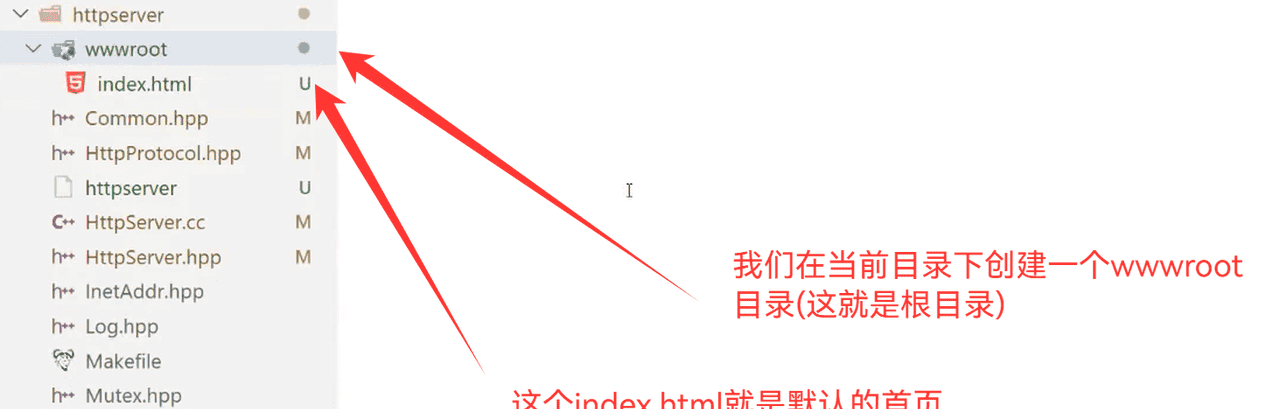
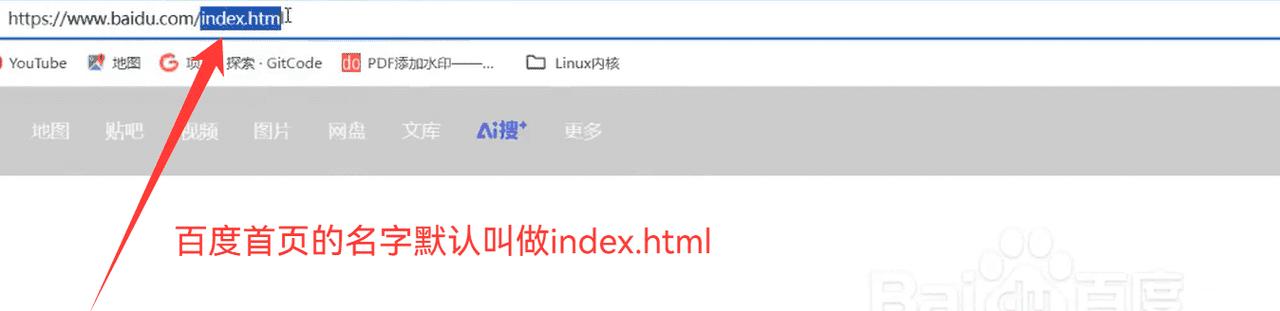
当用户只请求我们对应的首页或者/,那么就直接变成默认的index.html
用户的请求主要是放在我们的uri里面

所以,我们在收到对应的信息的时候,我们应该加上我们的默认页面路径
void ParseReqLine(std::string& _req_line,const std::string sep)
    {
        std::stringstream ss(_req_line);
        ss >> _method >> _uri >> _version;
        _uri = defaulthomepage + _uri;
    }
所以,以后再去找资源,就全部都从defaulthomepage里面去找对应的资源了
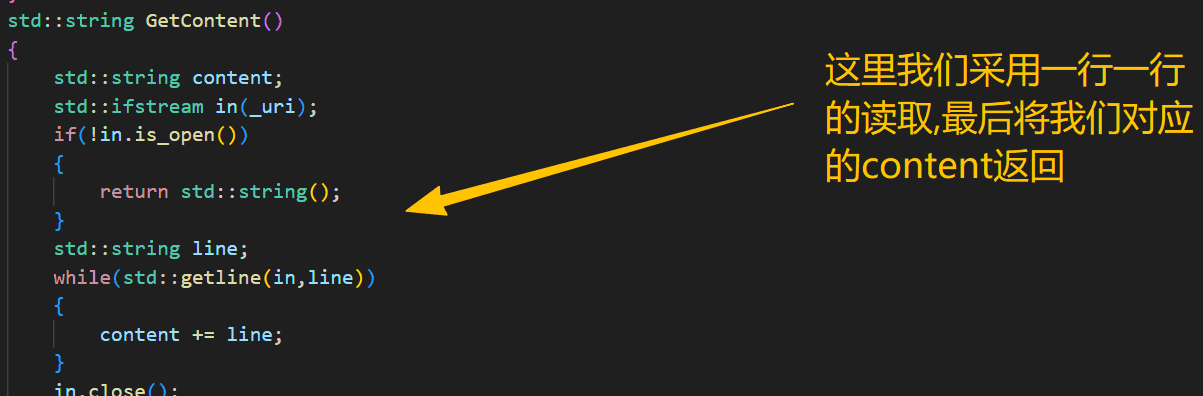
3.获取对应请求的网页资源
std::string GetContent()
    {
        std::string content;
        std::ifstream in(_uri);
        if(!in.is_open())
        {
            return std::string();
        }
        std::string line;
        while(std::getline(in,line))
        {
            content += line;
        }
        in.close();
        return content;
    }
4.HttpResponse的实现
a.基本返回实现
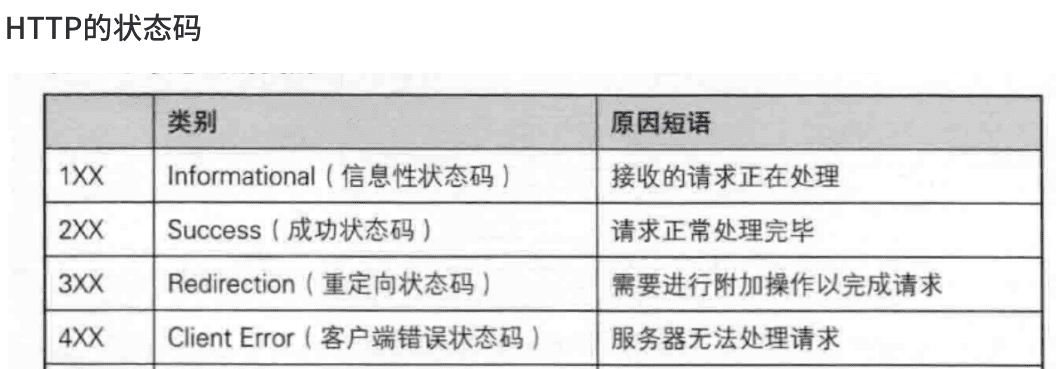

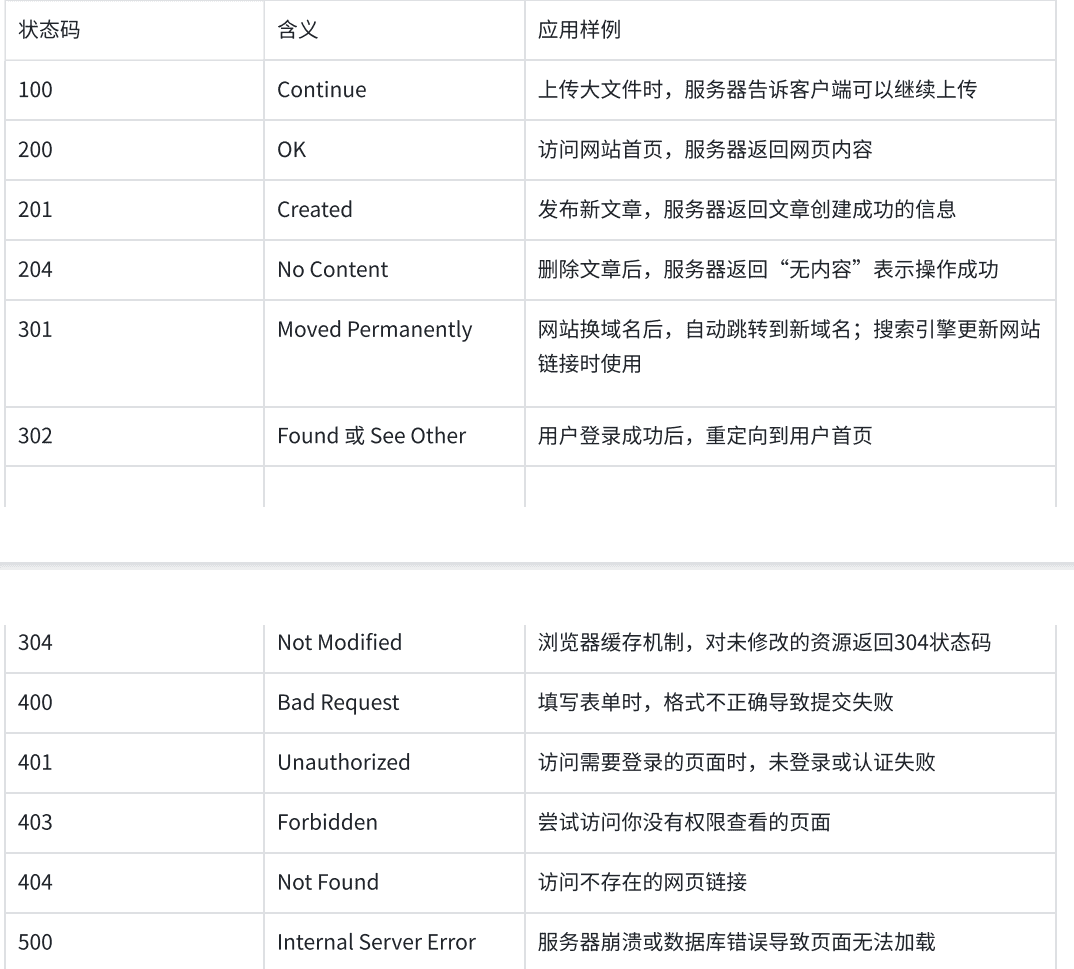
对于浏览器和服务器的http版本来说,一般是不同的,我们传递消息时,一定要将该版本进行交换
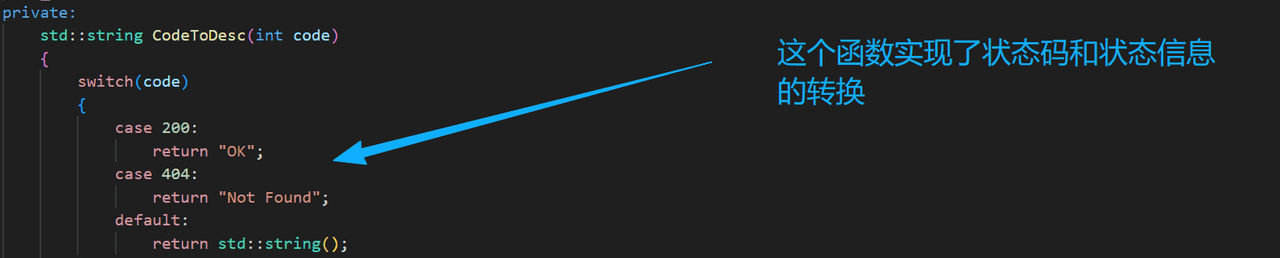
对于我们的返回信息,要包含状态码和对应的状态状态码对应的string值
//对于http来说,任何请求都要有对应的应答
class HttpResponse
{
public:
    HttpResponse():_version(http_version),_blank_line(Sep)
    {

    }
    ~HttpResponse()
    {

    }
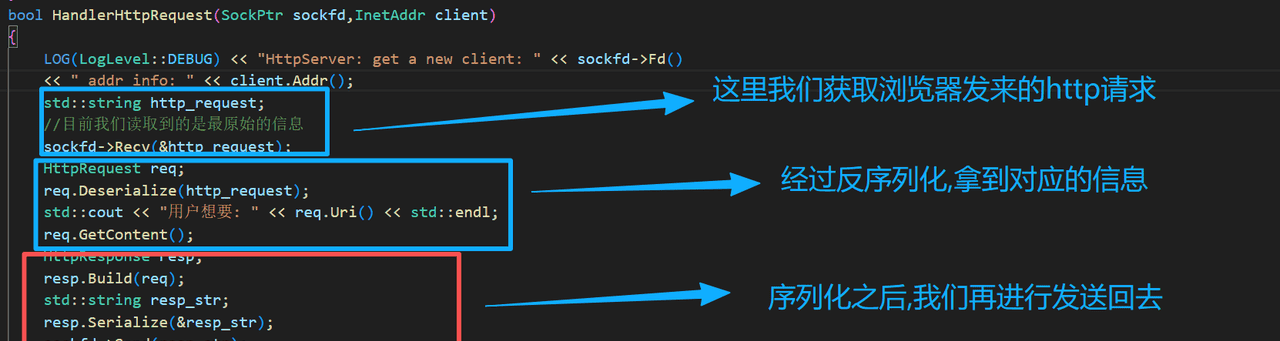
    void Build(HttpRequest& req)
    {
        _content = req.GetContent();
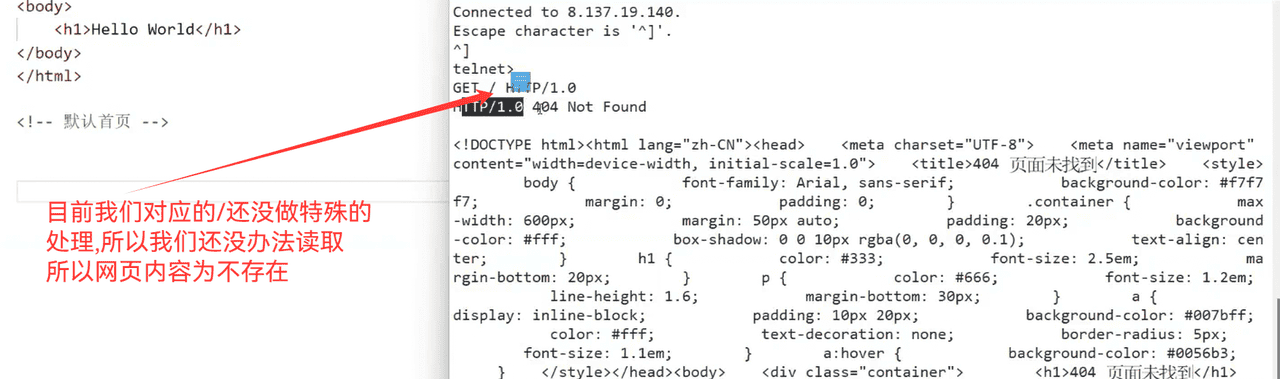
        if(_content.empty())
        {
            //当前用户请求资源不存在
            _status_code = 404;
            req.SetUri(page404);
            _content = req.GetContent();
        }
        else
        {
            _status_code = 200;
        }
        _status_desc = CodeToDesc(_status_code);

    }
    void Serialize(std::string* resp_str)
    {
        _resp_line = _version + LineSep + std::to_string(_status_code) + LineSep + _status_desc + Sep;
        _body = _content;
        //序列化
        *resp_str = _resp_line;
        for(auto& line : _resp_header)
        {
            *resp_str += (line + Sep);
        }
        *resp_str += _blank_line;
        *resp_str += _body;
    }
private:
    std::string CodeToDesc(int code)
    {
        switch(code)
        {
            case 200:
                return "OK";
            case 404:
                return "Not Found";
            default:
                return std::string();
        }
    }
private:
    //必备的要素
    std::string _version;
    int _status_code;
    std::string _status_desc;
    std::string _content;

    //最终要这四部分,构建应答
    std::string _resp_line;
    std::vector<std::string> _resp_header;
    std::string _blank_line;
    std::string _body;
};
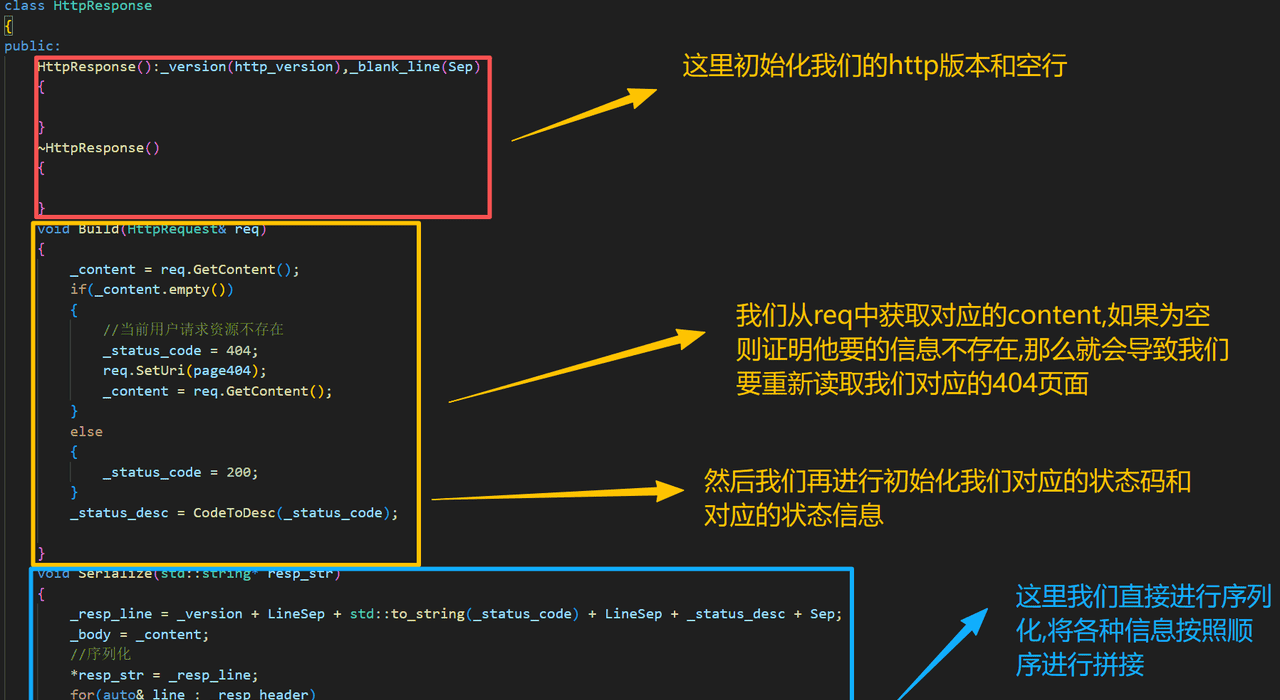
浏览器显示如下:

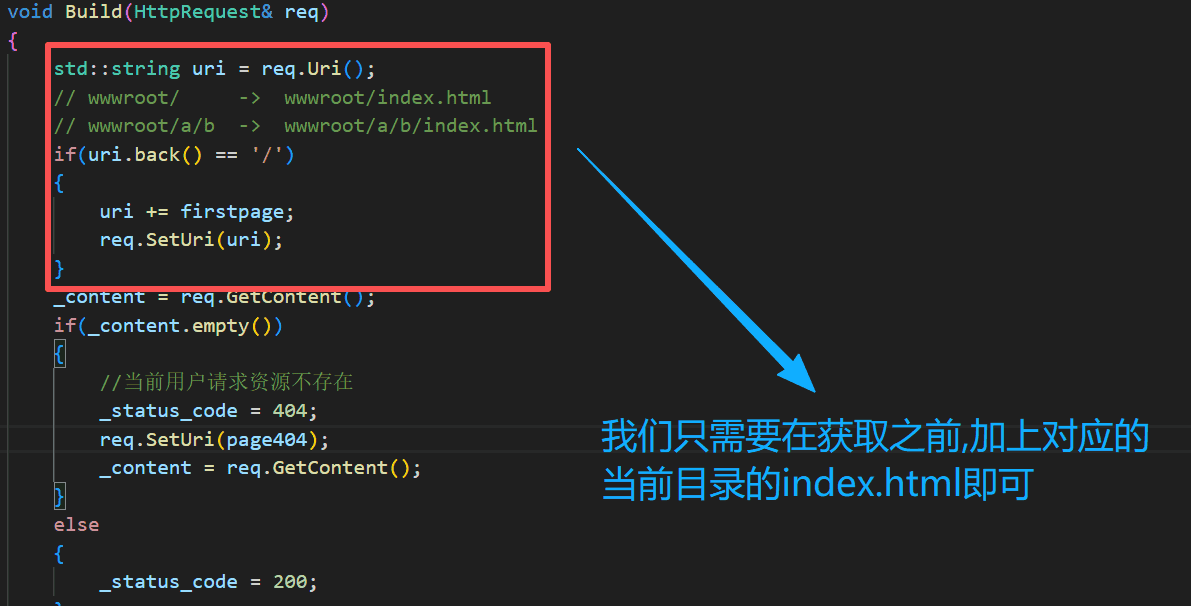
b.访问时添加默认路径
void Build(HttpRequest& req)
    {
        std::string uri = req.Uri();
        // wwwroot/     ->  wwwroot/index.html
        // wwwroot/a/b  ->  wwwroot/a/b/index.html
        if(uri.back() == '/')
        {
            uri += firstpage;
            req.SetUri(uri);
        }
        _content = req.GetContent();
        if(_content.empty())
        {
            //当前用户请求资源不存在
            _status_code = 404;
            req.SetUri(page404);
            _content = req.GetContent();
        }
        else
        {
            _status_code = 200;
        }
        _status_desc = CodeToDesc(_status_code);

    }
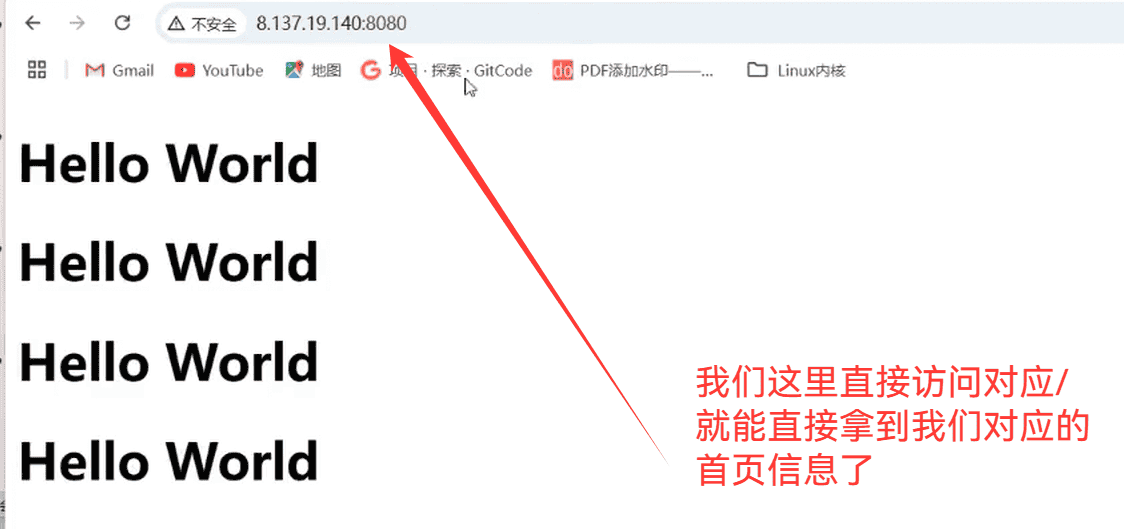
前端开发主要是写wwwroot内部的内容,而我们后端开发,主要就是开发wwwroot外面的内容
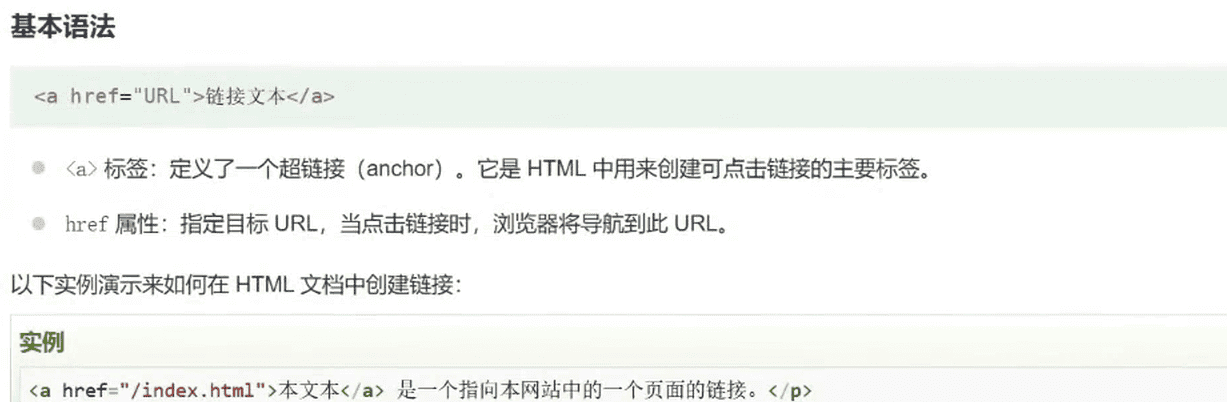
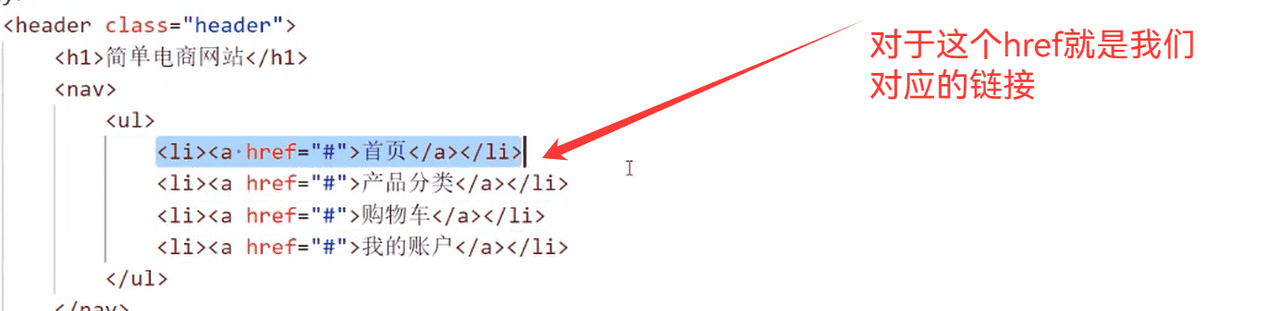
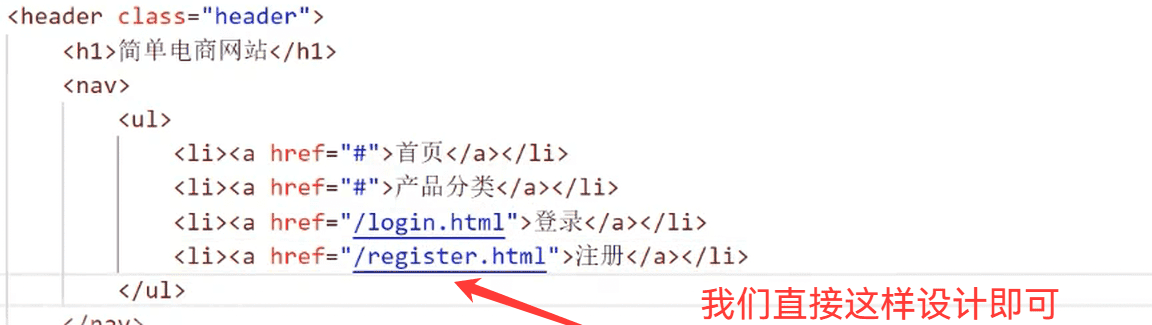
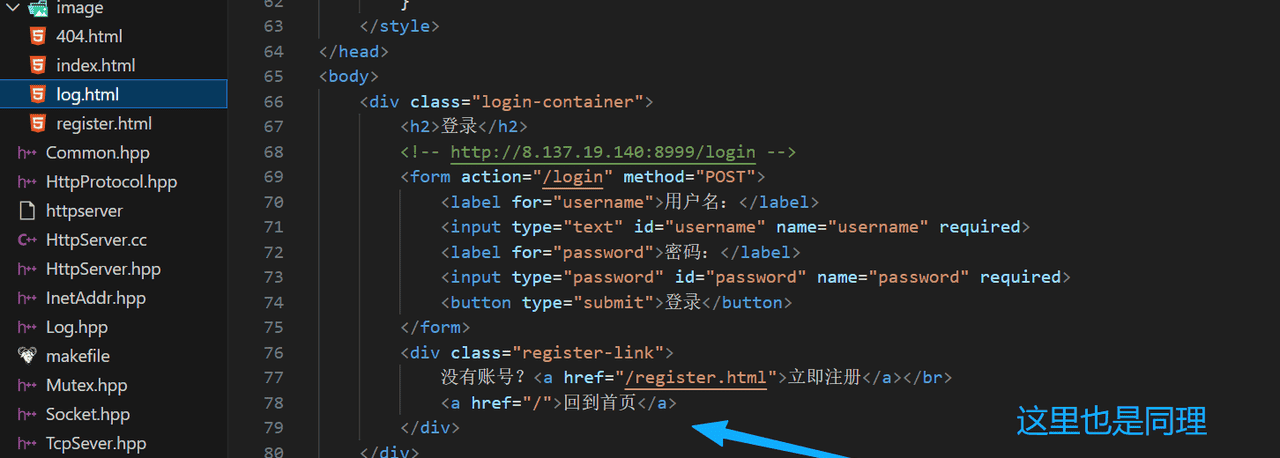
我们通过图标来去向浏览器发送新的请求,是通过前端的<a>标签进行的
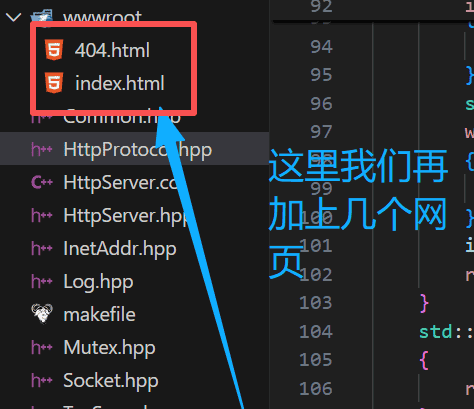
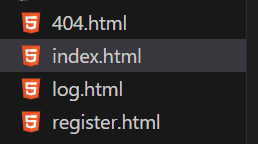
我们这里多加几个网页(AI生成即可)
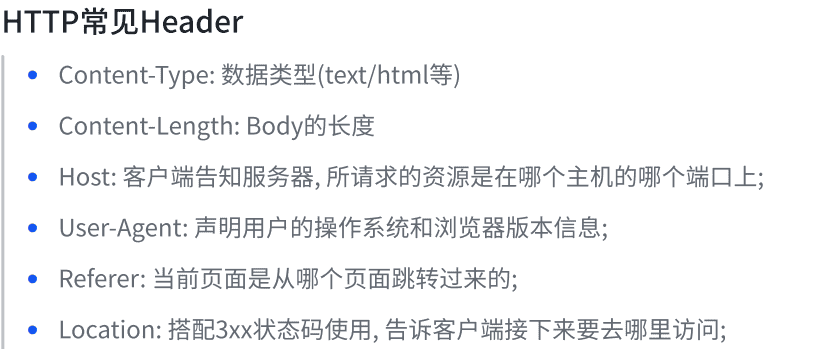
5.http的其他字段


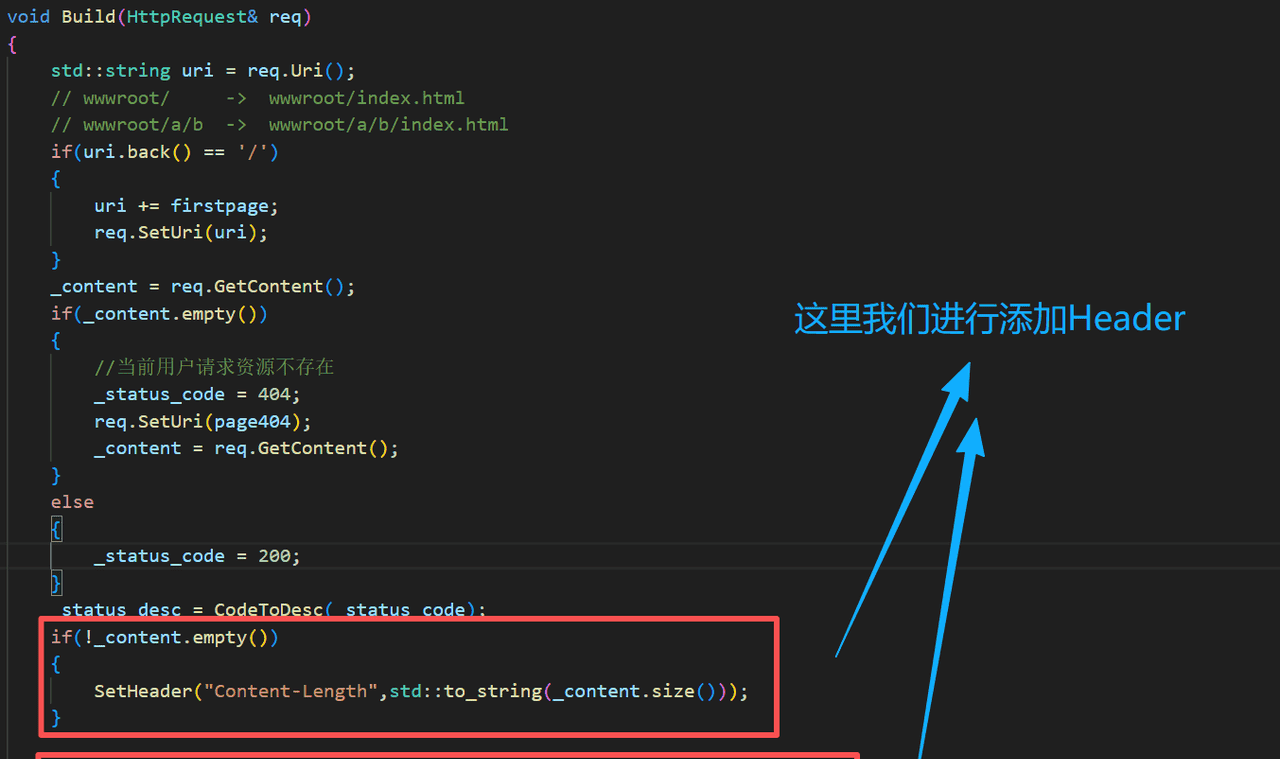
添加请求报头
void SetHeader(const std::string& k,const std::string& v)
    {
        _header_kv[k] = v;
    }
void Build(HttpRequest& req)
    {
        std::string uri = req.Uri();
        // wwwroot/     ->  wwwroot/index.html
        // wwwroot/a/b  ->  wwwroot/a/b/index.html
        if(uri.back() == '/')
        {
            uri += firstpage;
            req.SetUri(uri);
        }
        _content = req.GetContent();
        if(_content.empty())
        {
            //当前用户请求资源不存在
            _status_code = 404;
            req.SetUri(page404);
            _content = req.GetContent();
        }
        else
        {
            _status_code = 200;
        }
        _status_desc = CodeToDesc(_status_code);
        if(!_content.empty())
        {
            SetHeader("Content-Length",std::to_string(_content.size()));
        }

        for(auto& header : _header_kv)
        {
            _resp_header.push_back(header.first + HeaderLineSep + header.second);
        }
    }
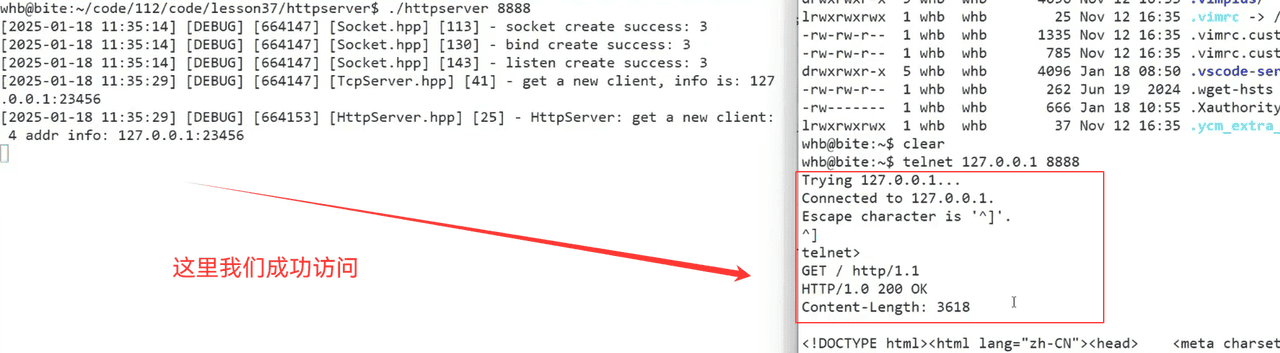

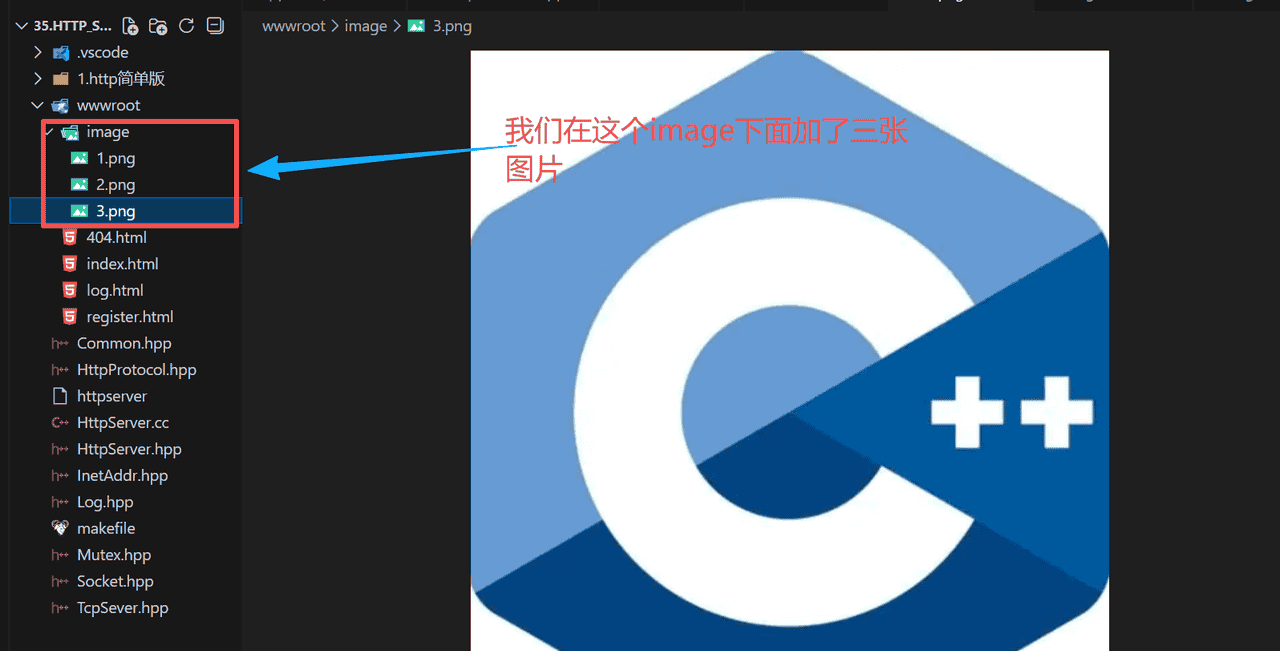
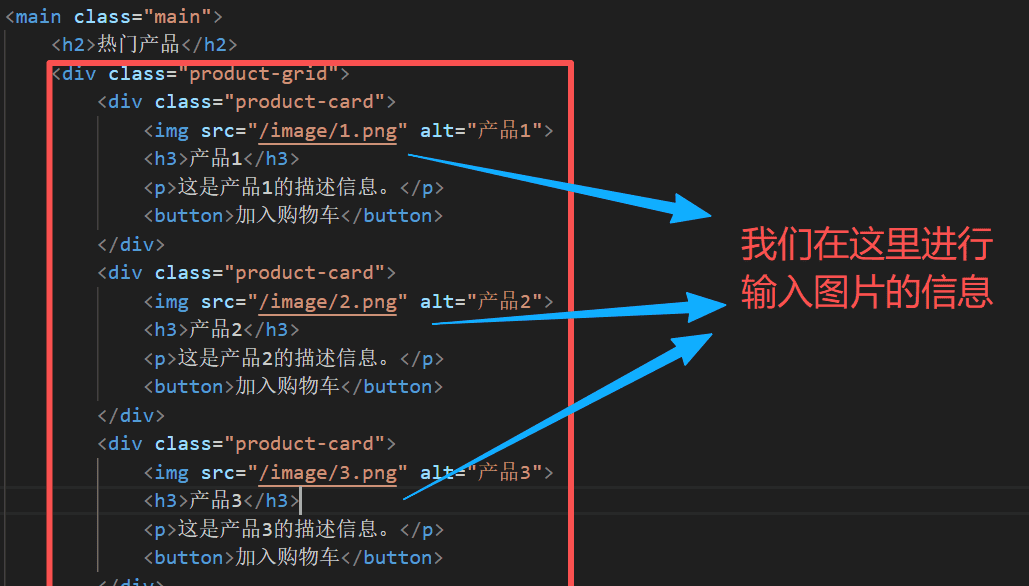
但是我们看不到是怎么回事?
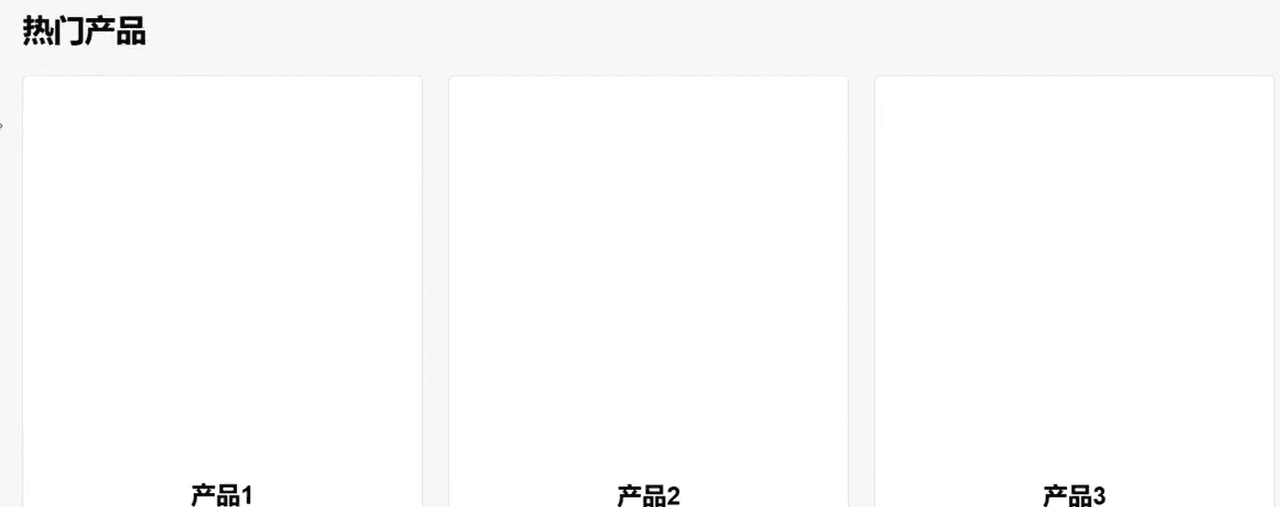
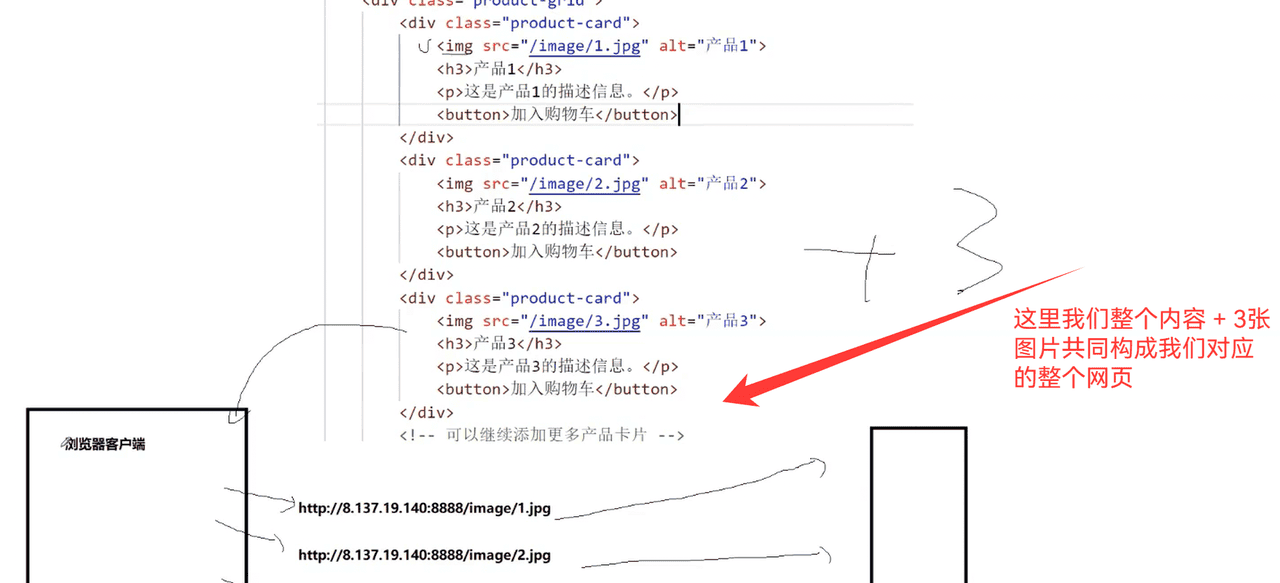

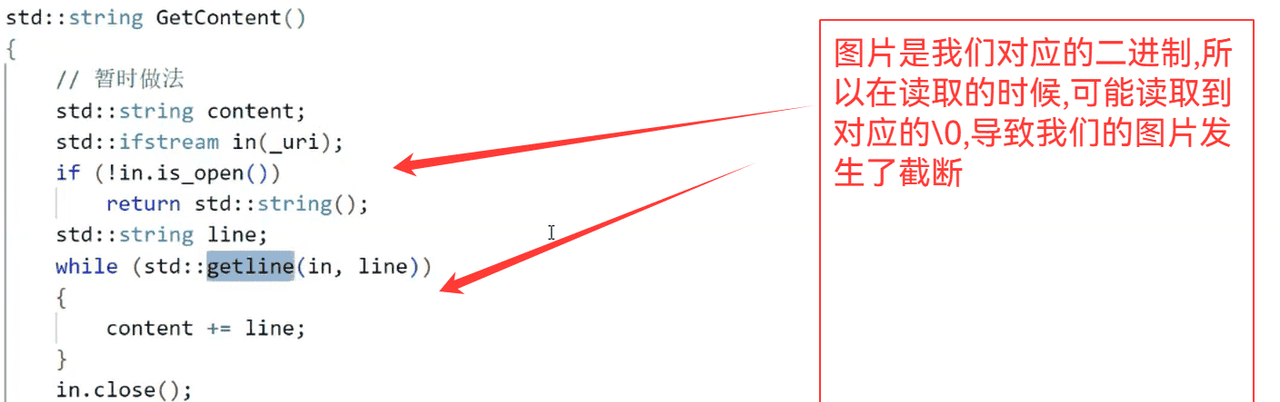
所以我们可以采用二进制读写(文本和图片都能可以进行读取)
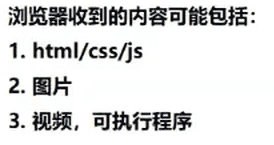
std::string GetContent()
    {
        std::string content;
        std::ifstream in(_uri,std::ios::binary);
        if(!in.is_open())
        {
            return std::string();
        }
        in.seekg(0,in.end);
        int filesize = in.tellg();
        in.seekg(0,in.beg);
        content.resize(filesize);
        in.read((char*)content.c_str(),filesize);
        in.close();
        return content;
    }
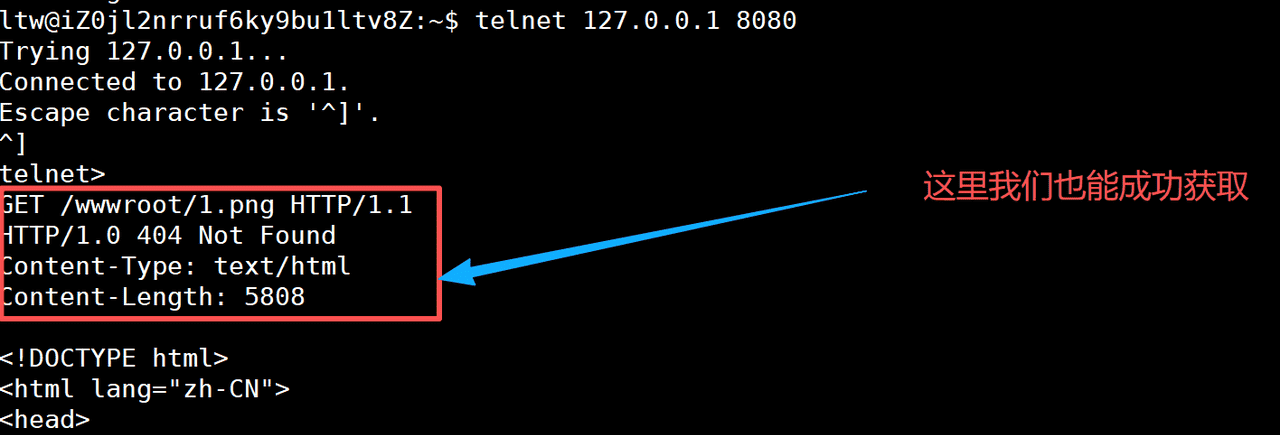
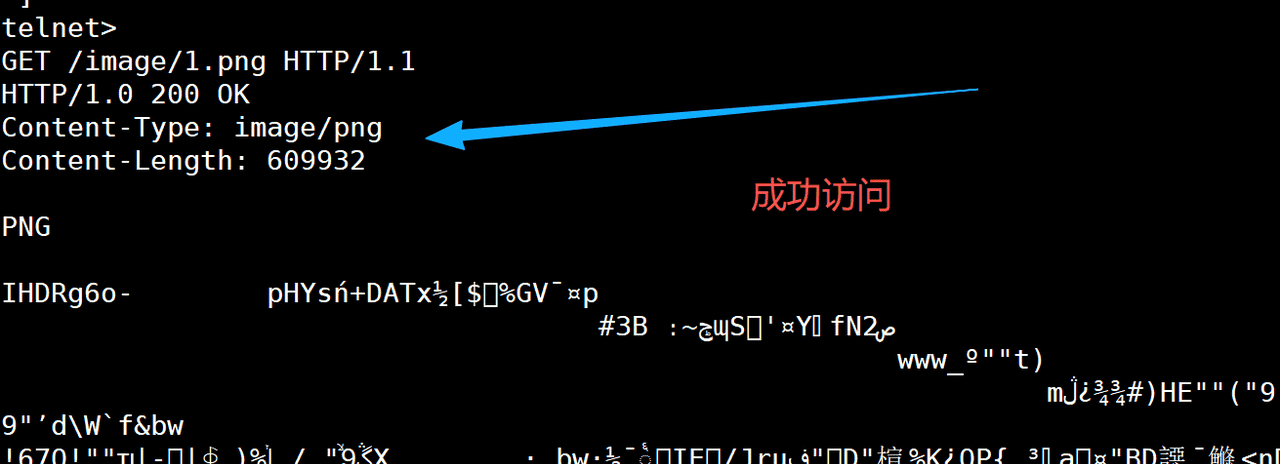
我们现在是任何的访问内容都是给其返回一个字符串,浏览器自己可以进行解析(图片还是文本),但是我们的返回字段中,要加上对应的内容信息
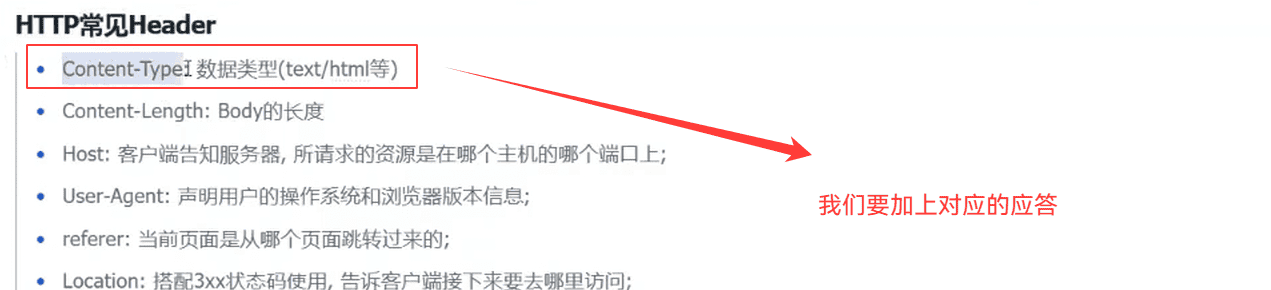
std::string Suffix()
    {
        auto pos = _uri.rfind(".");
        if(pos == std::string::npos)
        {
            return std::string(".html");
        }
        return _uri.substr(pos);
    }

这里的转换,我们可以直接简单设计一下
std::string SuffixToDesc(const std::string& suffix)
    {
        if(suffix == ".html")
        {
            return "text/html";
        }
        else if(suffix == ".png")
        {
            return "image/png";
        }
        return "text/html";
    }
© 版权声明
文章版权归作者所有,未经允许请勿转载。如内容涉嫌侵权,请在本页底部进入<联系我们>进行举报投诉!
THE END












暂无评论内容