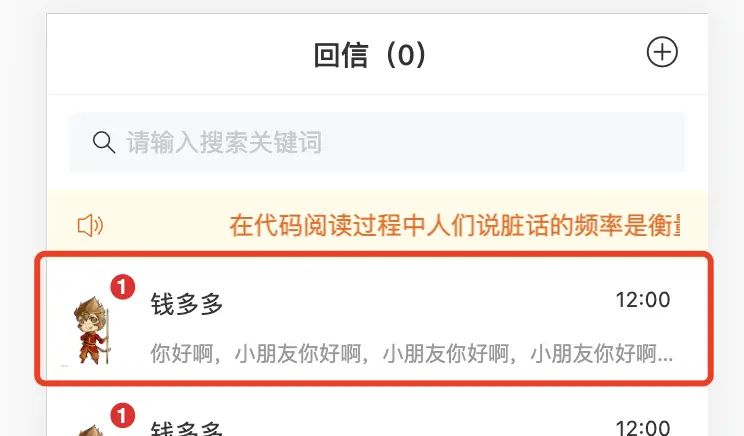


- 点击
v-for出来的元素,跳转页面 - 给元素定义一个
click点击事件,跳转页面用到动态路由 -
tamplate
@click="toDetailPage(item)"
-
methods
toDetailPage(item) {
    this.$router.push("/chatDetail/1")
}
-
新建页面
- 在
src/views新建文件夹chatDetail,在chatDetail文件夹下新建index.vue文件
<template>
  <div>chatDetail</div>
</template>

<script>
export default {}
</script>

<style lang="scss" scoped>
</style>
-
配置路由
- 打开
src/router/router.config.js,在children数组内配置路由,记得使用动态路由
{
   path:  /chatDetail/:id ,
   name:  ChatDetail ,
   component: () => import( @/views/chatDetail/index ),
   meta: { title:  聊天详情 , keepAlive: false,showFoot: false }
}
-
配置白名单 ps:暂时跳到一个固定的页面
- 打开
src/permission.js,把要跳转的路由填写到白名单内
const whiteList = [ /login , /home , /chatDetail/1 ] // no redirect whitelist
- 目前点击好友列表就可以跳转过去了
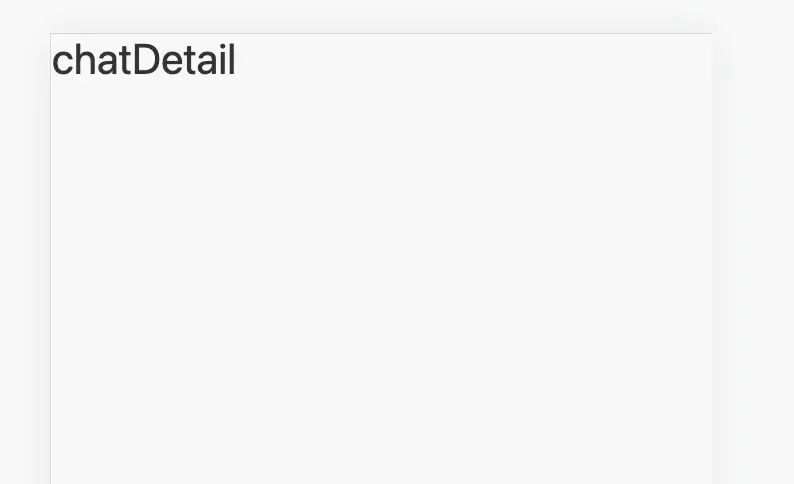
- 下面开始开发聊天详情页面

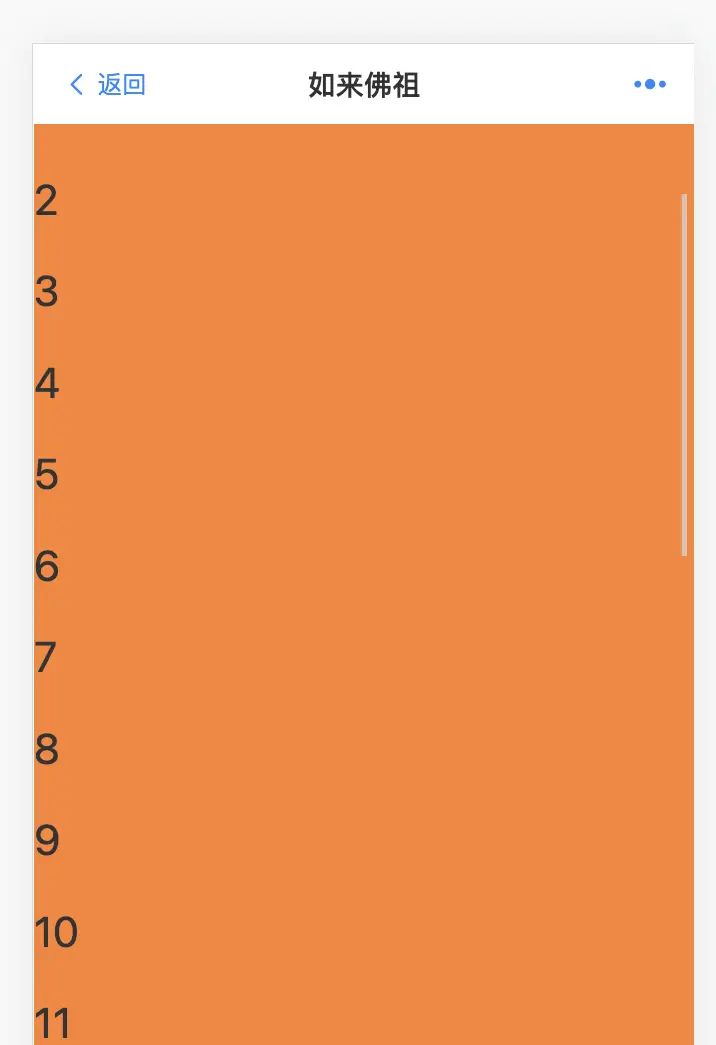
- 页面分析:
- 分【上、中、下】 三个板块,第一板块是
navbar、第二板块是中心区域,可以上下滚动,第三板块是底部发语音,发信息,发表情的区域,先布局
<template>
  <div class="chatDetail">
    <div class="top">
      <van-nav-bar title="如来佛祖" left-text="返回" left-arrow>
        <template #right>
          <van-icon name="weapp-nav" size="18" />
        </template>
      </van-nav-bar>
    </div>
    <div class="center">
      <p v-for="(item, index) in 30" :key="index">{{ index }}</p>
    </div>
    <div class="bottom">我是发言区域</div>
  </div>
</template>

<script>
export default {}
</script>

<style lang="scss" scoped>
.chatDetail {
  width: 100%;
  height: 100vh;
  background: pink;
  .center {
    background: #fe8130;
    height: calc(100% - 184px);
    overflow: auto;
  }
  .bottom {
    height: 92px;
    background: red;
    position: fixed;
    bottom: 0;
    width: 100%;
  }
}
</style>
- 下面开发静态的聊天记录页面布局

- 开发一左一右两种样式,然后根据类型type来区分是自己发的消息 还是 对方发来的消息
- 最好还是把中间的聊天记录区域,抽离成组件
- 在
src/components文件夹下新建一个组件ChatList.vue
<template>
  <div>聊天区域</div>
</template>

<script>
export default {}
</script>

<style lang="scss" scoped>
</style>
- 在
chatDetail页面引入该组件
//引入
import ChatList from  @/components/ChatList.vue
//注册
components: { ChatList },
//使用
<chat-list></chat-list>
- 下面在
ChatList组件内开发
template
<template>
  <div class="chatList">
    <ul>
      <!-- 左侧 -->
      <li>
        <div class="left">
          <img src="https://erkong.ybc365.com/pic/16283350133805.gif" >
        </div>
        <div class="right">
          <p class="time">10:23:45</p>
          <p class="content">
            我要去和学弟吃饭了~
          </p>
        </div>
      </li>
      <!-- 右侧 -->
      <li class="r">
        <div class="right">
          <p class="time">10:25:46</p>
          <p class="content">
            你想去就去吧,不能喝酒!
          </p>
        </div>
        <div class="left">
          <img src="https://upload.jianshu.io/users/upload_avatars/14379901/cf9da23c-2bbc-47bf-9076-0612df3e5f46.jpg" >
        </div>
      </li>
    </ul>
  </div>
</template>

<script>
export default {}
</script>

<style lang="scss" scoped>
.chatList{
  ul{
    padding: 20px;
    box-sizing: border-box;
    li{
      display: flex;
      margin-bottom: 40px;
      .left{
        width: 92px;
        height: 92px;
        margin-right: 16px;
        img{
          width: 100%;
          height: 100%;
          border-radius: 50%;
        }
      }
      .right{
        flex: 1;
        p{
          margin: 0;
        }
        p.time{
          font-size: 24px;
          margin-bottom: 8px;
        }
        p.content{
          font-size: 28px;
          background: #00ccb8;
          padding: 12px;
          border-radius: 12px;
          color:#fff;
          display: inline-block;
        }
      }
    }
    li.r{
      p.time{
        text-align: right;
      }
      p.content{
        background: #f37d7d;
        text-align: left;
      }
      .left{
        margin-left: 16px;
        margin-right: 0;
      }
      .right{
        text-align: right;
      }
    }
  }
}
</style>

- 下面把聊天记录换成模拟的假数据
- data
data() {
    return {
     list:[
        {
          avatar:"http://erkong.ybc365.com/pic/16671015266174.jpeg",
          timer:"10:23:34",
          message:"我要去和学弟吃饭了~",
          type:1
        },
        {
          avatar:"http://erkong.ybc365.com/pic/16283350133805.gif",
          timer:"10:33:34",
          message:"想去就去吧,不要喝酒就是了",
          type:2
        },
      ]
    }
  },
-
template
<template>
  <div class="chatList">
    <ul>
      <template v-for="(item,index) in list" >
      <!-- 左侧 -->
      <li v-if="item.type==1" :key="index">
        <div class="left">
          <img :src="item.avatar" >
        </div>
        <div class="right">
          <p class="time">{{item.timer}}</p>
          <p class="content">
            {{item.message}}
          </p>
        </div>
      </li>
      <!-- 右侧 -->
      <li class="r" v-if="item.type==2" :key="index">
        <div class="right">
          <p class="time">{{item.timer}}</p>
          <p class="content">
            {{item.message}}
          </p>
        </div>
        <div class="left">
          <img :src="item.avatar" >
        </div>
      </li>
    </template>
    </ul>
  </div>
</template>
- 聊天记录部分的静态页面开发完成!!!
- 下面开发底部的发消息区域
- 打开
chatDetail/index.vue,在<div class="bottom">我是发言区域</div>里面开发 -
template
 <div class="bottom">
      <div class="left">
        <van-icon name="http://erkong.ybc365.com/5f28d202201141346467740.png" size="25"></van-icon>
      </div>
      <div class="input">
        <van-search v-model="value" placeholder="请输入要发送的消息">
          <template #left-icon>
            <van-icon name=""></van-icon>
          </template>
        </van-search>
      </div>
      <div class="right">
        <div class="biaoqing">
          <van-icon name="http://erkong.ybc365.com/pic/16671025829044.png" size="25"></van-icon>
        </div>
        <div class="send">
          <span>发送</span>
        </div>
      </div>
    </div>
-
style
.bottom {
    height: 92px;
    // background: red;
    position: fixed;
    bottom: 0;
    width: 100%;
    display: flex;
    align-items: center;
    padding: 0 20px;
    box-sizing: border-box;
    .left {
      display: flex;
    }
    .input {
      flex: 1;
      padding: 0 20px;
      ::v-deep .van-search {
        padding: 0;
      }
    }
    .right{
      display: flex;
      align-items: center;
      .biaoqing{
        display: flex;
      }
      .send{
        font-size: 28px;
        padding:  12px 0 12px 24px;
      }
    }
  }
- 最终效果

© 版权声明
文章版权归作者所有,未经允许请勿转载。如内容涉嫌侵权,请在本页底部进入<联系我们>进行举报投诉!
THE END












暂无评论内容