

centos系统如果不关闭防火墙在使用中会遇到不少问题,而且centos7和centos6关闭防火墙的方式不一样。
centos6:
1.永久性生效,重启后不会复原
开启: chkconfig iptables on
关闭: chkconfig iptables off
2.即时生效,重启后复原
开启: service iptables start
关闭: service iptables stop
- 查看防火墙状态
service iptables status
centos7:
1.检查防火墙状态
[root@localhost network-scripts]# systemctl status firewalld.service
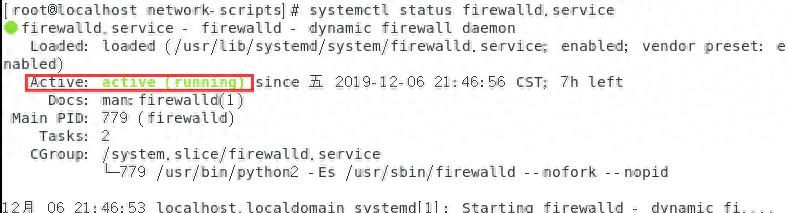
2.使用命令关闭防火墙:systemctl stop firewalld.service
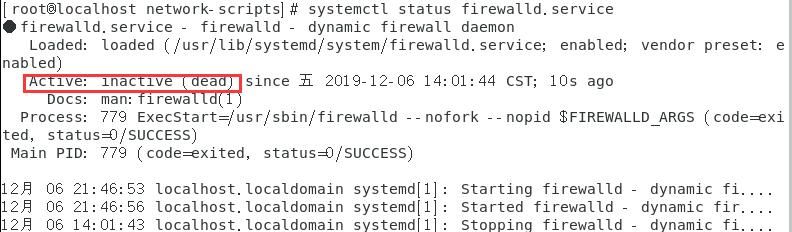
再次查看则防火墙关闭
- 第2步只是暂时关闭,如果机器重启则还会自动开启,那么要永久关闭
systemctl disable firewalld.service
© 版权声明
文章版权归作者所有,未经允许请勿转载。如内容涉嫌侵权,请在本页底部进入<联系我们>进行举报投诉!
THE END














暂无评论内容