

1.Bitmap准确缩放到制定大小尺寸
//mBitmap(要缩放的Bitmap图片),Width,Height(自定义值,缩放到指定大小宽高)
Bitmap scaledBitmap = Bitmap.createScaledBitmap(mBitmap, 100, 100, true);
2.在canvas指定位置上放图标
 Bitmap bitmap = BitmapFactory.decodeResource(getResources(), R.mipmap.icon_un);
                        Bitmap scaledBitmap = Bitmap.createScaledBitmap(bitmap, 13, 13, true);
                        canvas.drawBitmap(scaledBitmap, x, y, textbgpaint);
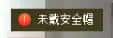
效果如图:
canvas.drawRect(x , y , x + text_width , y + text_height, textbgpaint);
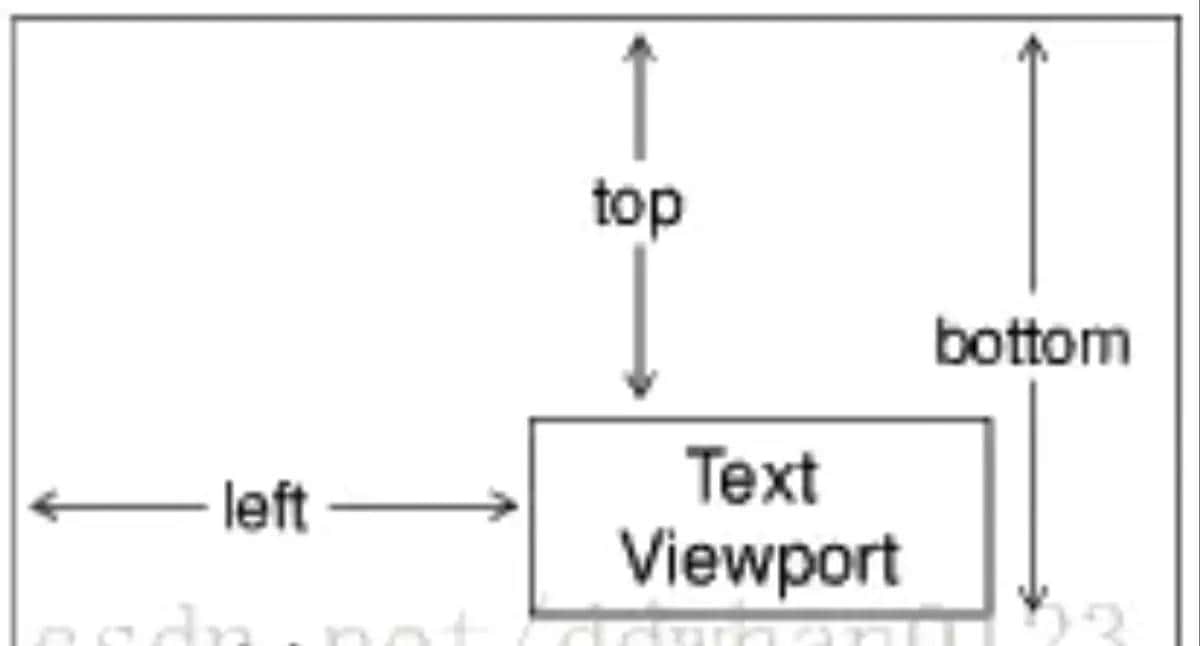
3.Rect描述矩形,是一个常用的绘画工具类。其中,四个参数如图所示定义。
4.人脸的四角边框
            /**
             * 左上角的竖线
             */
            canvas.drawLine(left, top, left, top + scaleLine, boxPaints[colorID]);
            /**
             * 左上角的横线
             */
            canvas.drawLine(left, top, left + scaleLine, top, boxPaints[colorID]);
            /**
             * 右上角的竖线
             */
            canvas.drawLine(right, top, right - scaleLine, top, boxPaints[colorID]);
            /**
             * 右上角的横线
             */
            canvas.drawLine(right, top, right, top + scaleLine, boxPaints[colorID]);
            /**
             * 左下角的竖线
             */
            canvas.drawLine(left, bottom, left, bottom - scaleLine, boxPaints[colorID]);
            /**
             * 左下角的横线
             */
            canvas.drawLine(left, bottom, left + scaleLine, bottom, boxPaints[colorID]);
            /**
             * 右下角的竖线
             */
            canvas.drawLine(right, bottom, right, bottom - scaleLine, boxPaints[colorID]);
            /**
             * 右下角的横线
             */
            canvas.drawLine(right, bottom, right - scaleLine, bottom, boxPaints[colorID]);
© 版权声明
文章版权归作者所有,未经允许请勿转载。如内容涉嫌侵权,请在本页底部进入<联系我们>进行举报投诉!
THE END












暂无评论内容