

测试报告HTMLtestRunner使用, 报告生成内容为空的解决方案
代码内容:
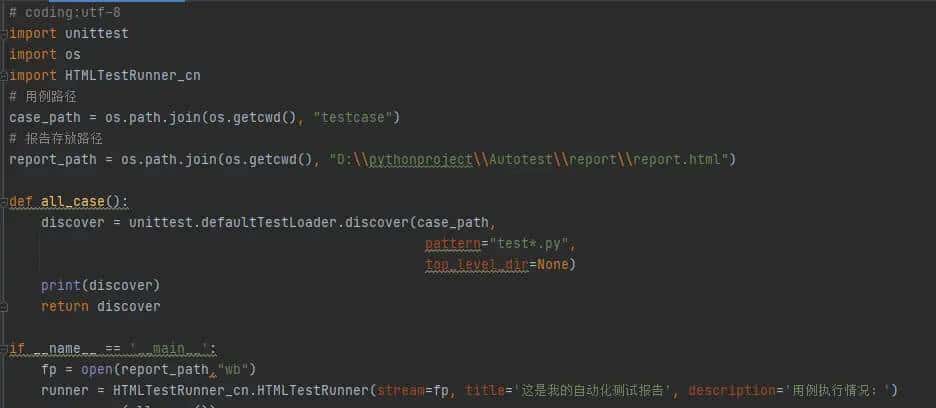
第一种情况:
打开文件后未关闭, 需输入fp.close()关闭文件,可解决。
第二种情况:
需不以unittest框架运行
1,设置点修改内容:File—–Settings—–Python Integrated Tools—–Testing —Default test runner: unittest修改为 pytest即可
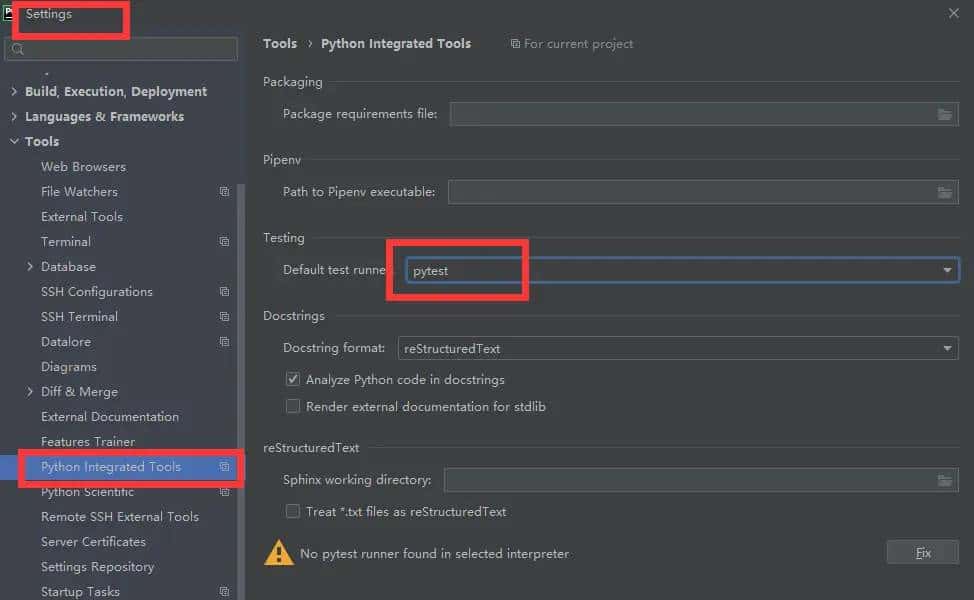
备注:代码内容粘贴:
# coding:utf-8
import unittest
import os
import HTMLTestRunner_cn
# 用例路径
case_path = os.path.join(os.getcwd(), “testcase”)
# 报告存放路径
report_path = os.path.join(os.getcwd(), “D:pythonprojectAutotestreportreport.html”)
def all_case():
discover = unittest.defaultTestLoader.discover(case_path,
pattern=”test*.py”,
top_level_dir=None)
print(discover)
return discover
if __name__ == __main__ :
fp =open(report_path,”wb”)
runner = HTMLTestRunner_cn.HTMLTestRunner(stream=fp, title= 这是我的自动化测试报告 , description= 用例执行情况: )
runner.run(all_case())
fp.close()
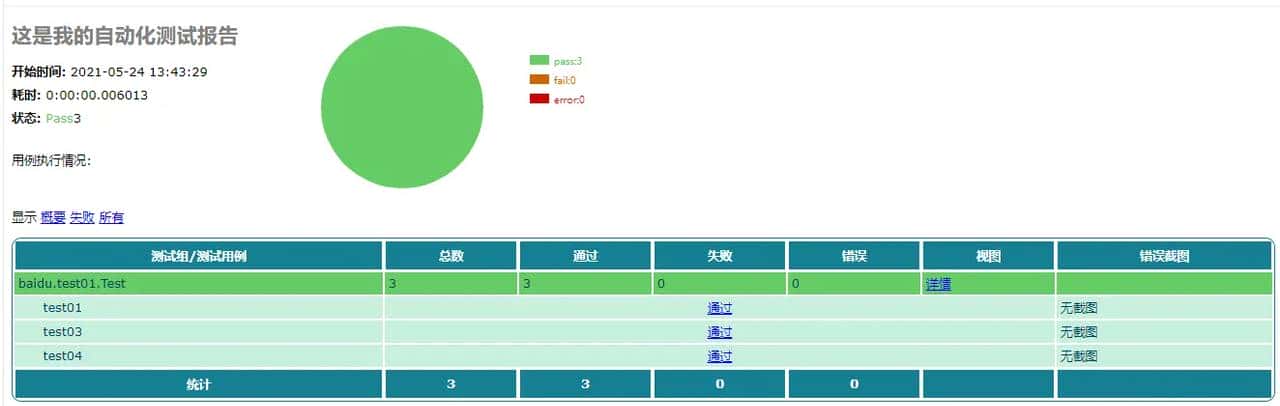
测试报告截图:













暂无评论内容