

1. pycharm不生成报告问题缘由
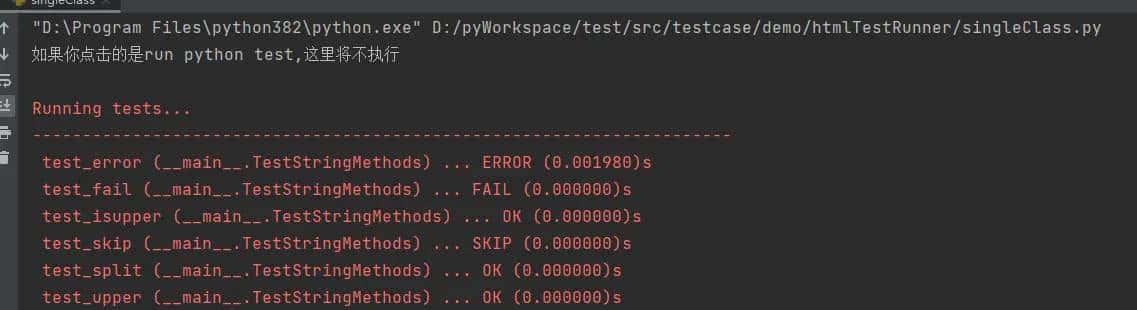
编辑器为了方便用户执行测试,编辑器来调用 unittest 或者 nose 来执行测试用例,这种情况下,执行的只是用例或者套件,而不是整个文件,写在main里的代码是不会被执行的!
所以不会生成测试报告,如下图所示
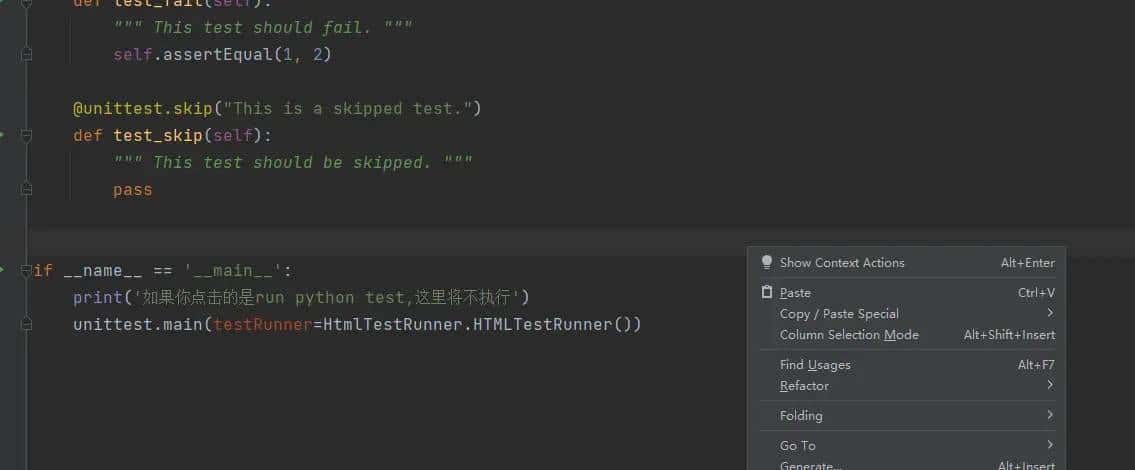
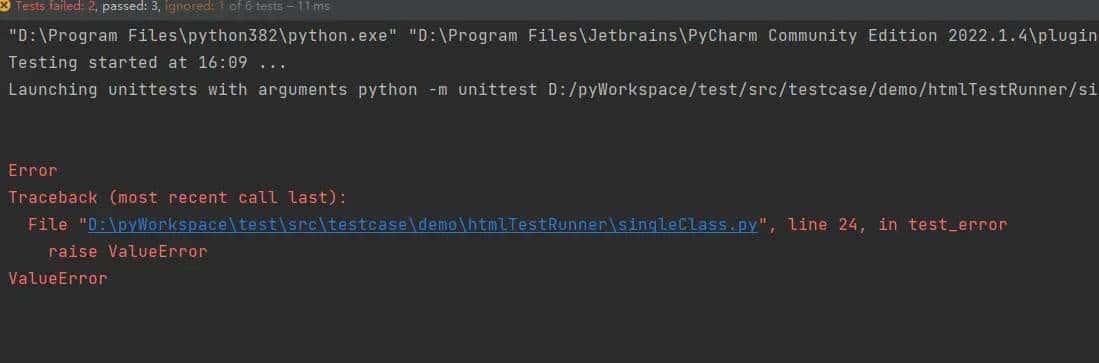
解决方法:
运行文件的时候不要选择以 unitest 的方式运行,要选择运行文件的方式
操作步骤如下:
-
点击右上角add configuration
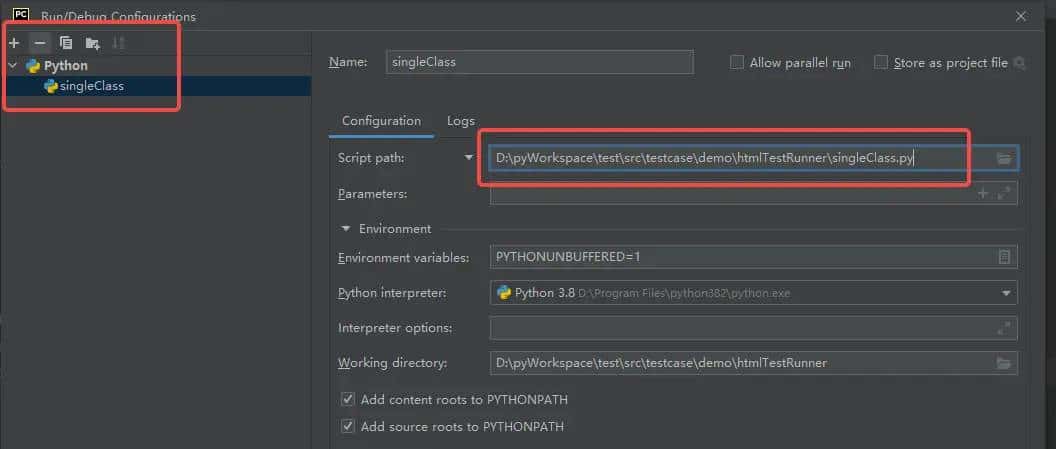
-
配置完成之后点击右上角的运行
-
打印了main方法中的内容并调用了生成html

-
生成了报告
2. HtmlTestRunner生成的报告view打不开
解决方法如下:
打开python安装目录
Libsite-packagesHtmlTestRunner emplate
eport_template.html,地址换成国内能连的地址:
https://ajax.googleapis.com/ajax/libs/jquery/2.2.4/jquery.min.js
改为
http://apps.bdimg.com/libs/jquery/2.1.1/jquery.min.js
另外在最后结尾处将 html加上 >
3. HtmlTestRunner生成的html中文乱码
解决办法:
修改python安装目录下Libsite-packagesHtmlTestRunner
esult.py
搜索 def general_file方法
修改
with open(path_file,  w ) as report_file:
为
with open(path_file,  w , encoding= utf-8 ) as report_file:
PS:
另外说个亲身实践的坑,python 3.10 与 HtmlTestRunner 1.2.1 不兼容,当有错误用例时无法生成报告,并报错在htmlTestRunner中
AttributeError:  HtmlTestResult  object has no attribute
 _count_relevant_tb_levels . Did you mean:  _is_relevant_tb_level ?
所以如果别人的用例可执行,而到了你的环境中无法运行
必定要注意python版本和HtmlTestRunner的版本问题
© 版权声明
文章版权归作者所有,未经允许请勿转载。如内容涉嫌侵权,请在本页底部进入<联系我们>进行举报投诉!
THE END













暂无评论内容